
No photos recorded for this color yet
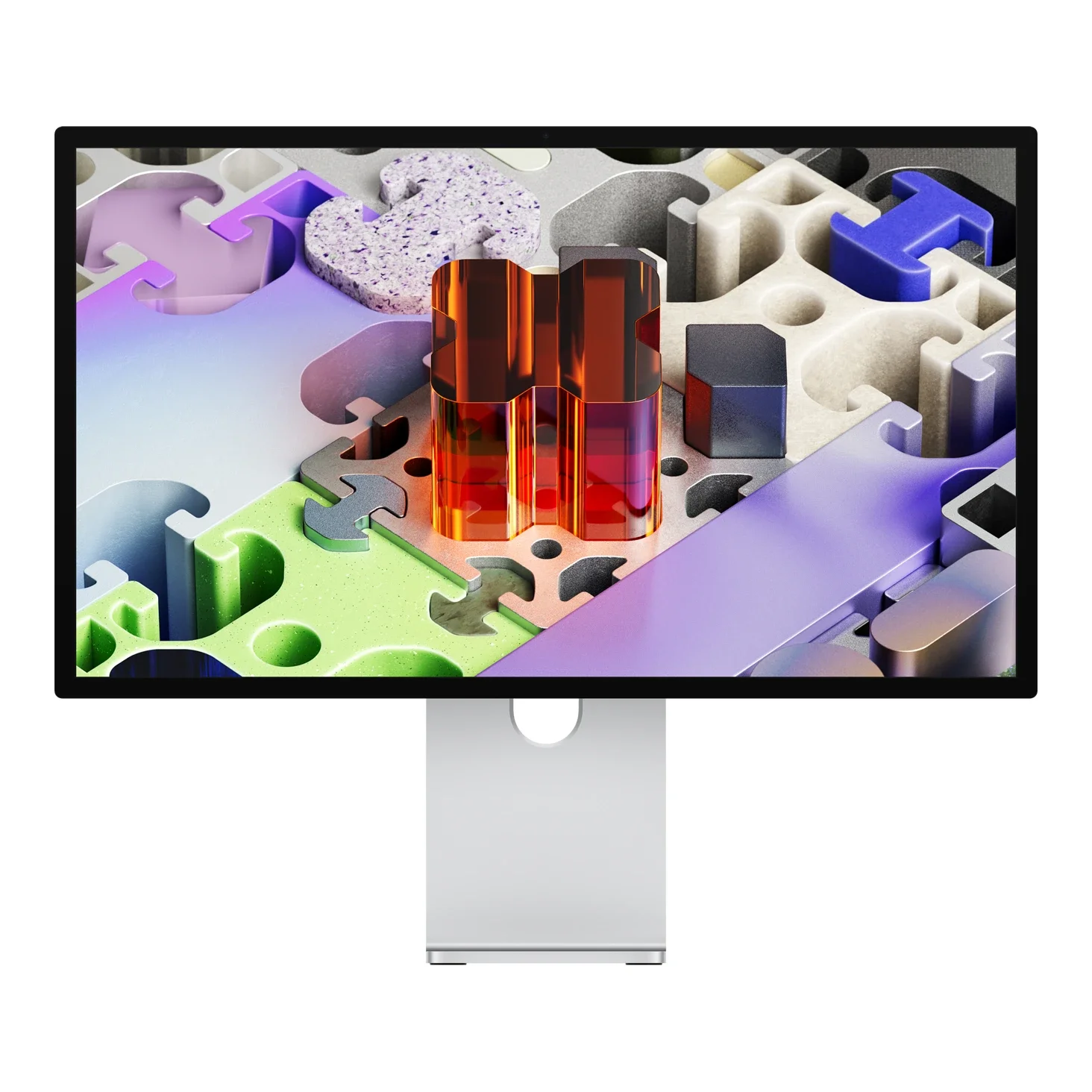
Apple Studio Display XDR
Product ID: AKS-20261009-7YK3
The Apple Studio Display XDR is Apple's professional 27-inch 5K mini-LED display, with a 12MP Center Stage camera, six-speaker sound system and studio-quality three-mic array. The mini-LED backlight has 2,304 dimming zones, with up to 1000 nits SDR and 2000 nits peak HDR, 120Hz with adaptive sync, P3 + Adobe RGB wide color, reference modes including HDR video, and optional nano-texture glass. Ports are two Thunderbolt 5 (the upstream port provides 140W host charging) plus two 10Gb/s USB-C. It is 8.5kg with the tilt- and height-adjustable stand or 6.3kg with the VESA mount adapter; Macs with M1, M2 or M3-family chips run it at up to 60Hz. Released 2026-03-11; as of October 2026 Apple Taiwan lists the VESA version at NT$97,900 and the stand version from NT$109,900.
Saved temporarily in this device’s browser only. No long-term storage or syncing.
Official list prices
Pending and starting prices do not confirm the price of a specific variant. Check each market’s currency and tax status.
Taiwan (TW) · 1 TWD 97,900
-
Verified
TWD 97,900 TW
Product price · Tax included
Official source · Checked
官方定價:NT$97,900
Product information
- Brand:
- Apple
- Category:
- Monitor
- Product line:
- Studio Display
- Release date:
- 2026-03-11
- Product ID:
- AKS-20261009-7YK3
- Official information:
- View manufacturer page
- Last updated:
- Oct 31, 2026
Specifications
Body
- Width
- 623 mm
- Height
- 478 mm
- Depth
- 214 mm
- Weight
- 8,500 g
Display
- Display size
- 27 in
- Display resolution
- 5120 × 2880 (218 ppi)
- Display technology
- 5K Retina XDR, Mini-LED backlight
- Refresh rate
- 120 Hz
- Peak brightness
- 2,000 nits
- Local dimming zones
- 2,304
- Color gamut
- P3 + Adobe RGB
Connectivity & compatibility
- Ports
- 2× Thunderbolt 5 (1 upstream, 1 downstream), 2× USB-C (10Gb/s)
- USB-C power delivery
- 140 W
Features
- Adjustable stand
- Tilt- and height-adjustable (−5° to +25°, 105mm); VESA mount adapter option
- VESA mount
- 100 × 100 mm
- Built-in speakers
- Yes
- Built-in camera
- Yes
Product reviews
Based on 5 reviews
Based on a limited sample of reviews.
Snazzy Labs: Studio Display XDR Review — Still Stuck at 60Hz, $400 Stand Extortion
Machine translated · Original language: Chinese (Taiwan) · Source language: Chinese (Taiwan)
Source
Snazzy Labs
Key Takeaways
- Starting at $1,599 yet stubbornly crippled at 60Hz with no ProMotion, trailing every modern MacBook Pro display.
- Base model only tilts; demanding ergonomic height adjustment requires an insulting $400 price gouge.
- Built-in Center Stage webcam delivers mushy, noisy video processing that pales in comparison to real iPhones.
- Only Thunderbolt/USB-C inputs; zero HDMI or DisplayPort connections, locking out Windows gaming rigs and consoles.
✅ Pros
- Pixel-perfect 5K Retina density with razor text
- Class-topping six-speaker acoustic fidelity
- Gorgeous seamless aluminum enclosure engineering
❌ Cons
- Unforgivable 60Hz cap at this price bracket
- Extortionate $400 premium for height adjustability
- Disappointing smudgy webcam quality
- Zero HDMI/DisplayPort compatibility
📝 Verdict
"Studio Display offers 5K clarity ruined by Apple's greed: no 120Hz, bad webcam, and an insulting $400 stand upcharge."
View original
Snazzy Labs:高昂售價下依然沒有 ProMotion 120Hz,四百美元支架加價稅
來源
Snazzy Labs
重點摘要
- 售價高達 1,599 美元起跳,但螢幕更新率竟然依然被閹割在 60Hz,滑動網頁游標殘影明顯,完全欠缺 120Hz 高刷流暢感。
- 基礎款式僅配備無法調整高度的傾斜支架,若需要人體工學高度調節,原廠竟然強行索取 400 美元的暴利升級費用。
- 內建視訊鏡頭畫質塗抹模糊,暗光下顆粒雜訊嚴重,與宣傳的 iPhone 級感光處理差距懸殊。
- 僅有三個下行 USB-C 接口,缺少 HDMI 與 DisplayPort 輸入,完全無法原生相容一般 Windows PC 或遊戲主機。
✅ 優點
- 5K 視網膜超細膩解析度文字銳利如印刷品
- 六揚聲器高傳真音響系統音質在螢幕中登頂
- 優雅全鋁金屬機身做工無可挑剔
❌ 缺點
- 天價卻依然固守 60Hz 慢速更新率
- 高度調整支架需加價四百美元
- 暗光下塗抹嚴重的內建鏡頭
- 完全不支援 HDMI 或 DP 輸入
📝 總結評語
「Studio Display 5K 面板無可挑剔,但傲慢的 60Hz 限制與加價四百美元的支架稅,把果粉當韭菜收割。」
This AI-generated summary is based on the original source and was not written by its creator. It may contain errors or omissions; please consult the original source.
Brad Colbow: The Studio Display XDR is expensive, but no other monitor on the market can do all this
Machine translated · Original language: Chinese (Taiwan)
Source
- Video: Studio Display XDR Review - Nothing Else Like it
- Channel: Brad Colbow | Type: Review from a designer's perspective | Based on: YouTube transcript (fetched with youtube-transcript-api)
Key points
- He thinks the XDR marks a return to the era when Apple prized aesthetics and deliberately over-engineered things: from the packaging with pull tabs and fabric handles to the rounded aluminum body, fully flat glass and height-adjustable stand, everything is meticulous.
- mini-LED local dimming sits between regular LED and OLED, delivering very deep blacks without OLED's burn-in and flicker concerns.
- What he appreciates most is color consistency: with an M1 Pro and an M5 MacBook Pro, the colors on the laptop screen and the monitor are almost identical without any calibration; Reference Modes are important for design and imaging work.
- He has noticed many buyers just want an Apple display with 120Hz and don't necessarily need such expensive professional features.
- The height-adjustable stand currently costs $400 more (the previous Pro Display stand was $1,000), and choosing the VESA version saves $400; he thinks details like this are where Apple is heading toward being a luxury brand. Conclusion: it's expensive, but for overall performance in HDR, color management and build quality, no other monitor on the market compares.
✅ Pros
- Excellent HDR and local dimming
- Colors consistent with Mac screens, no calibration needed
- Reference Modes
- Extremely meticulous build and packaging
❌ Cons
- High price
- The height-adjustable stand still costs $400 extra
- Too expensive for people who just want 120Hz
📝 Verdict
A one-of-a-kind professional display: if you need its color reference modes and HDR performance, nothing else can replace it; but it's too expensive if you just want 120Hz.
View original
Brad Colbow:Studio Display XDR 貴,但市場上沒有其他螢幕能做到這些
來源
- 影片:Studio Display XDR Review - Nothing Else Like it
- 頻道:Brad Colbow|類型:設計師觀點評測|摘要依據:YouTube 字幕逐字稿(youtube-transcript-api 擷取)
重點摘要
- 他認為 XDR 回到 Apple 重視美學、刻意過度設計的時代:從有拉片與布提把的包裝,到圓角鋁合金機身、全平面玻璃與可調高度支架都很講究。
- mini-LED 局部調光介於一般 LED 與 OLED 之間,能呈現很深的黑色,但沒有 OLED 的烙印與閃爍疑慮。
- 他最欣賞的是色彩一致性:搭配 M1 Pro 與 M5 MacBook Pro,不需任何校色,筆電螢幕與顯示器的色彩幾乎一致;專業參照模式對設計與影像工作很重要。
- 他觀察到很多買家只是想要 120Hz 的 Apple 螢幕,未必需要這麼貴的專業功能。
- 可調高度支架目前是 400 美元的價差(上一代 Pro Display 支架要 1,000 美元),選 VESA 版可省 400 美元;他認為這類細節正是 Apple 走向精品品牌的地方。結論:價格高,但在 HDR、色彩管理與做工的整體表現上,市面上沒有其他螢幕能比。
✅ 優點
- HDR 與局部調光表現出色
- 與 Mac 螢幕色彩一致、免校色
- 專業參照模式
- 做工與包裝極度講究
❌ 缺點
- 價格高
- 可調高度支架仍要額外 400 美元的價差
- 對只想要 120Hz 的人來說太貴
📝 總結評語
獨一無二的專業螢幕:如果你需要它的色彩參照模式與 HDR 表現,沒有其他螢幕能取代;只是為了 120Hz 的話就太貴了。
This AI-generated summary is based on the original source and was not written by its creator. It may contain errors or omissions; please consult the original source.
MacRumors: The Studio Display XDR is incredibly good — the only problem is that 27 inches is too small
Machine translated · Original language: Chinese (Taiwan)
Source
- Video: Apple’s $3,299 Studio Display XDR Is Incredible…But There’s One Problem
- Channel: MacRumors | Type: Upgrade review from a Pro Display XDR owner | Based on: YouTube transcript (fetched with youtube-transcript-api)
Key points
- Starting at $3,299 in the US, it's Apple's high-end 27-inch 5K mini-LED ProMotion display; its specs beat the discontinued Pro Display XDR almost across the board.
- His biggest complaint is size: he thinks 32 inches is the ideal size for a single monitor, and 27 inches is a bit small; he also prefers the Pro Display's perforated back design, but the Studio Display's build is still better than most monitors.
- The 5K mini-LED panel is finally as good as the MacBook Pro's screen, with excellent brightness and HDR; ProMotion 120Hz makes an obvious difference when moving the mouse or gaming, and after a few hours you can't go back.
- New additions include a 12MP Center Stage camera (with Desk View), microphones and six speakers, none of which the Pro Display XDR had; the speakers are excellent for watching and editing video, though for music he still misses external speakers.
- Standard Studio Display owners mostly don't need to upgrade; for Pro Display owners it's a clear step up, but the old display can still serve for years. Going from 6K to 5K matters little — going from 32 to 27 inches is his biggest complaint; he also thinks the overall price is on the high side.
✅ Pros
- Excellent mini-LED brightness and HDR
- 120Hz ProMotion
- Built-in camera, microphones and speakers
- Refined build
❌ Cons
- 27 inches is a bit small for single-monitor use
- Expensive
- Resolution drops from 6K to 5K compared with the Pro Display
📝 Verdict
Excellent but not cheap: a clear step up for Pro Display XDR owners, but most people don't need it, and you really do pay a lot more.
View original
MacRumors:Studio Display XDR 好得驚人,唯一問題是 27 吋太小
來源
- 影片:Apple’s $3,299 Studio Display XDR Is Incredible…But There’s One Problem
- 頻道:MacRumors|類型:Pro Display XDR 用戶的升級評測|摘要依據:YouTube 字幕逐字稿(youtube-transcript-api 擷取)
重點摘要
- 美國售價 3,299 美元起,是 Apple 的高階 27 吋 5K mini-LED ProMotion 顯示器;規格幾乎全面勝過已停產的 Pro Display XDR。
- 他最大的不滿是尺寸:他認為 32 吋才是單螢幕的最佳尺寸,27 吋略小;也更喜歡 Pro Display 的打孔背板設計,但 Studio Display 的做工仍優於大多數螢幕。
- 5K mini-LED 面板終於和 MacBook Pro 的螢幕一樣好,亮度與 HDR 效果出色;ProMotion 120Hz 在移動滑鼠或玩遊戲時差異明顯,用幾小時後就回不去。
- 新增 12MP Center Stage 相機(支援桌上視角)、麥克風與六揚聲器,這些都是 Pro Display XDR 沒有的;喇叭在看片與剪片時表現優秀,聽音樂則仍會想念外接喇叭。
- 一般版 Studio Display 用戶多半不需要升級;Pro Display 用戶升級會是明顯進步,但舊螢幕仍可再用好幾年。從 6K 降到 5K 影響不大,從 32 吋降到 27 吋才是他最大的抱怨;他也認為整體價格偏高。
✅ 優點
- mini-LED 亮度與 HDR 表現出色
- 120Hz ProMotion
- 內建相機、麥克風與喇叭
- 做工精緻
❌ 缺點
- 27 吋對單螢幕使用略小
- 價格偏高
- 相比 Pro Display 解析度從 6K 降到 5K
📝 總結評語
非常出色但不便宜:對 Pro Display XDR 用戶來說是明顯進步,但多數人不需要它,而且確實要多付不少錢。
This AI-generated summary is based on the original source and was not written by its creator. It may contain errors or omissions; please consult the original source.
MKBHD: The Studio Display XDR beats the Pro Display XDR on every count — the best companion for a MacBook Pro
Machine translated · Original language: Chinese (Taiwan)
Source
- Video: Apple Studio Display XDR Review: We're All Pros Now!
- Channel: Marques Brownlee (MKBHD) | Type: Hands-on review (a few days of use) | Based on: YouTube transcript (fetched with youtube-transcript-api)
Key points
- The standard Studio Display launched alongside it is only a minor update (same design, same panel, a new processor and Thunderbolt 5, still about $1,600); the XDR version is a genuinely new product: a 27-inch 5K mini-LED with 2,000 nits HDR peak, 120Hz and Adaptive Sync, replacing the Pro Display XDR.
- Technically it beats the Pro Display XDR across the board: 1,000 nits full-screen SDR (500 on the old one), 2,000 nits HDR peak (1,600 on the old one), about 2,000 dimming zones (576 on the old one), with much less blooming in dark scenes and higher contrast; it also adds Thunderbolt 5 downstream ports, a camera and speakers.
- He thinks the main reason to choose an Apple display is integration with the Mac: one Thunderbolt 5 cable connects every accessory on your desk, you can daisy-chain up to two XDRs, and it provides 140W charging to a MacBook Pro.
- The speakers perform close to the 16-inch MacBook Pro's level, but he still recommends dedicated speakers; 120Hz makes animations, scrolling and even games smoother. There's no competitor on the market that's also a 27-inch 5K, 2,000-nit mini-LED with a high refresh rate.
- Minor downsides: the included Thunderbolt 5 cable is short at about 3 feet, the top gets slightly warm after a while, and the power cable is still non-removable. If you want the best single-cable desk setup for a MacBook Pro, this is it.
✅ Pros
- mini-LED brightness and contrast far surpass the Pro Display XDR
- 120Hz with Adaptive Sync
- Single-cable connection, 140W charging and daisy-chaining
- No competitor in its class on the market
❌ Cons
- The included cable is short
- The top gets slightly warm
- Non-removable power cable
- High price
📝 Verdict
The new benchmark for professional displays: the Studio has replaced the Pro, and it's technically better in every way — the best display to pair with a MacBook Pro.
View original
MKBHD:Studio Display XDR 每一項都勝過 Pro Display XDR,是 MacBook Pro 的最佳搭檔
來源
- 影片:Apple Studio Display XDR Review: We're All Pros Now!
- 頻道:Marques Brownlee (MKBHD)|類型:上手評測(使用數天)|摘要依據:YouTube 字幕逐字稿(youtube-transcript-api 擷取)
重點摘要
- 同時推出的一般版 Studio Display 只是小改(同設計、同面板,換新處理器與 Thunderbolt 5,同樣約 1,600 美元);XDR 版則是真正的新產品:27 吋 5K mini-LED,HDR 峰值 2,000 尼特、120Hz 並支援自動適應同步,取代了 Pro Display XDR。
- 技術層面全面勝過 Pro Display XDR:SDR 全螢幕 1,000 尼特(舊款 500)、HDR 峰值 2,000 尼特(舊款 1,600),約 2,000 個調光分區(舊款 576),暗場光暈少很多、對比更高;另外多了 Thunderbolt 5 下游埠、相機與喇叭。
- 他認為選 Apple 螢幕的主因是與 Mac 的整合:一條 Thunderbolt 5 線就能接通桌上所有配件,可菊鍊串接最多兩台 XDR,並為 MacBook Pro 提供 140W 充電。
- 喇叭的表現接近 16 吋 MacBook Pro 等級,但仍建議另購專用喇叭;120Hz 讓動畫、捲動甚至遊戲都更順。市面上找不到同樣是 27 吋 5K、2,000 尼特 mini-LED 與高更新率的競品。
- 小缺點:附贈的 Thunderbolt 5 線約 3 英尺偏短、使用一段時間後頂部會微溫、電源線仍無法拆卸。若要給 MacBook Pro 搭配最好的單線桌面,就是這台。
✅ 優點
- mini-LED 亮度與對比大幅超越 Pro Display XDR
- 120Hz 與自動適應同步
- 單線連接、140W 充電與菊鍊串接
- 市場上沒有同級競品
❌ 缺點
- 附贈的連接線偏短
- 頂部會微溫
- 電源線無法拆卸
- 價格高
📝 總結評語
新的專業顯示器標竿:Studio 取代了 Pro,而它在技術上每一方面都更好,是搭配 MacBook Pro 的最佳螢幕。
This AI-generated summary is based on the original source and was not written by its creator. It may contain errors or omissions; please consult the original source.
Snazzy Labs: Apple Studio Display XDR Review — $400 Stand Extortion, No HDMI/DP, Mini-LED Blooming
Machine translated · Original language: Chinese (Taiwan) · Source language: Chinese (Taiwan)
Source
Snazzy Labs
Key Takeaways
- Priced near $3,000 yet Apple greedily charges an extra $400 for a height-adjustable stand; base model is glued at an ergonomically rigid height.
- Equipped strictly with Thunderbolt and USB-C; stubbornly omits HDMI 2.1 and DisplayPort, making connections to PCs or PS5s a dongle nightmare.
- Mini-LED local dimming exhibits prominent bloom halos around white text and timeline cursors against dark backdrops, lagging behind true OLED.
- Built-in Center Stage webcam remains grainy, washed out, and muddy in ambient office illumination despite endless firmware patches.
✅ Pros
- 5K Retina pixel density renders typography razor-sharp with print-like perfection
- Sustained 1000-nit full-screen luminance with blistering 1600-nit HDR highlights
- Built-in 6-speaker spatial audio sound system delivers incredible desktop acoustic depth
❌ Cons
- Greedy $400 surcharge for basic ergonomic height adjustment
- Absence of HDMI/DisplayPort alienates PCs and consoles
- Mini-LED blooming halos distract around bright high-contrast elements
- Built-in Center Stage camera suffers from smudged noise in dim rooms
📝 Verdict
"Sublime 5K panel optics betrayed by a $400 stand paywall, absent HDMI ports, and distracting Mini-LED bloom."
View original
Snazzy Labs:支架依然加價四百美元,缺乏 HDMI/DP 介面且分區控光光暈明顯
來源
Snazzy Labs
重點摘要
- 售價已經高達近三千美元天價,官方依然貪婪地將「可調高度傾斜支架」列為需額外加價 400 美元的配件,標配支架甚至無法調整螢幕升降高低,極度反人類。
- 整台顯示器全身上下僅配備 Thunderbolt 與 Type-C 接孔,完全拒絕提供標準的 HDMI 2.1 或 DisplayPort 介面,非 Mac 裝置(如 PC 主機或 PS5 遊戲機)連接極其繁瑣相容性極差。
- 採用的 Mini-LED 分區背光在深黑背景顯示純白文字或剪輯視訊時間軸指針時,發光物周圍出現肉眼清晰可見的擴散「光暈(Blooming)」,精準控光表現不如 OLED。
- 內建視訊鏡頭經過多次韌體更新後,在弱光環境下人臉膚色依然呈現慘白的塗抹感與噪點,完全配不上其身價。
✅ 優點
- 5K 視網膜超高解析度文字銳利如印刷品般極致清晰
- 全螢幕持續 1000 尼特峰值 1600 尼特 HDR 動態極其震撼
- 內建六揚聲器音響系統低音渾厚空間音訊震撼
❌ 缺點
- 可調高度人體工學支架需強迫加價四百美元
- 無 HDMI 或 DP 接孔對非蘋果設備相容性極差
- Mini-LED 分區控光在高對比邊緣光暈明顯
- 內建視訊攝影機暗部噪點嚴重畫質平庸
📝 總結評語
「5K 視網膜畫質無懈可擊,但逼買四百美元支架的吃相、零 HDMI 的排他封閉與光暈瑕疵,讓人難以爽快買單。」
This AI-generated summary is based on the original source and was not written by its creator. It may contain errors or omissions; please consult the original source.