
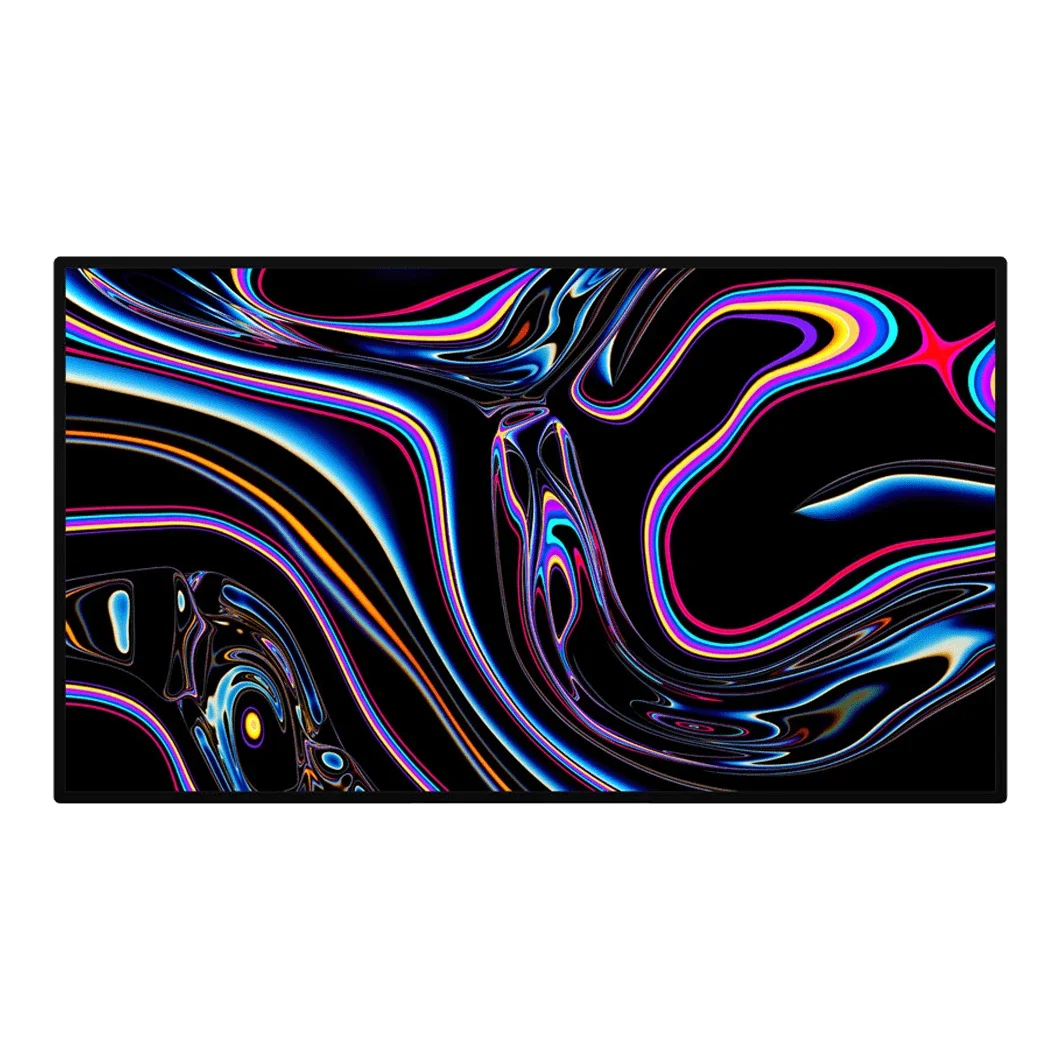
No photos recorded for this color yet
Apple Pro Display XDR
Product ID: AKS-20261017-MZU8
The Apple Pro Display XDR is Apple's 32-inch 6K pro display, pitched as a roughly $5,000 alternative to professional reference monitors costing tens of thousands. It has a 576-zone full-array local-dimming backlight, 1,000 nits sustained full-screen, 1,600 nits peak and 1,000,000:1 contrast. At WWDC 2019, the separately sold $999 Pro Stand drew audible gasps from the audience and became one of the year's most-mocked accessories (Engadget, The Register). Nano-texture glass costs $1,000 more. Still on sale years after launch.
Saved temporarily in this device’s browser only. No long-term storage or syncing.
Official list prices
Pending and starting prices do not confirm the price of a specific variant. Check each market’s currency and tax status.
United States (US) · 1 USD 4,999
-
Starting at
USD 4,999 US
Product price · Tax excluded
Official source · Checked
美國 Apple 官網定價:4,999 美元
Product information
- Brand:
- Apple
- Category:
- Monitor
- Product line:
- Pro Display
- Release date:
- 2019-12-10
- Product ID:
- AKS-20261017-MZU8
- Official information:
- View manufacturer page
- Last updated:
- Oct 31, 2026
Specifications
Body
- Width
- 718 mm
- Height
- 412 mm
- Depth
- 27 mm
- Weight
- 7,480 g
Display
- Display size
- 32 in
- Display resolution
- 6016 × 3384 (6K, 218 ppi)
- Display technology
- IPS LCD (oxide TFT), 576-zone full-array local dimming
- Refresh rate
- 60 Hz
- Peak brightness
- 1,600 nits
- HDR formats
- HDR10, HLG, Dolby Vision
- Local dimming zones
- 576
- Color gamut
- P3 wide color, 10-bit (1.073 billion colors)
Connectivity & compatibility
- Ports
- 1× Thunderbolt 3 upstream (96W host charging), 3× USB-C (USB 2)
- USB-C power delivery
- 96 W
Features
- Adjustable stand
- Pro Stand sold separately (tilt, height, rotation)
- VESA mount
- VESA Mount Adapter sold separately
- Built-in speakers
- No
- Built-in camera
- No
Product reviews
Based on 5 reviews
Based on a limited sample of reviews.
Snazzy Labs: Pro Display XDR Review — $1,000 Stand Insanity, Halo Blooming, 60Hz Cap
Machine translated · Original language: Chinese (Taiwan) · Source language: Chinese (Taiwan)
Source
Snazzy Labs
Key Takeaways
- Charging $5,000 for a monitor that ships without any stand, demanding another $1,000 for Pro Stand, is insulting.
- Only 576 local dimming zones lead to distracting blooming and halo artifacts around bright subtitles and cursors.
- Stuck at a 60Hz refresh rate at this astronomical price tag with zero HDMI 2.1 inputs or ProMotion support.
- Lacks speakers, webcam, and mics, while the delicate Nano-Texture finish requires obsessive cleaning rituals.
✅ Pros
- Dazzling 1,600 nit peak brightness and razor-sharp 6K density
- Gorgeous aerospace-grade 3D lattice aluminum enclosure
- Pristine factory calibration covering broad professional gamuts
❌ Cons
- Absurd $1,000 standalone price for the Pro Stand
- Noticeable halo blooming artifacts from limited 576 zones
- 60Hz refresh rate is unacceptable at this price point
- Zero HDMI inputs and no integrated soundbar
📝 Verdict
"Pro Display XDR offers 6K brilliance marred by visible blooming and the greed of a $1,000 stand."
View original
Snazzy Labs:高昂售價下的千美元支架荒謬劇,明顯的光暈與 60Hz 限制
來源
Snazzy Labs
重點摘要
- 高達五千美元的定價竟然不包含螢幕支架,原廠 Pro Stand 支架額外索價一千美元,刷新科技界傲慢底線。
- 僅配備 576 區全陣列直下式分區控光,在黑底白色字幕或游標邊緣產生極其刺眼的光暈(Blooming)現象。
- 在五千美元的頂級價位依然固守 60Hz 螢幕更新率,缺乏 ProMotion 120Hz 高刷新率與 HDMI 2.1 輸入。
- 未配備內建喇叭、麥克風與視訊鏡頭,且特殊鍍膜的 Nano-Texture 奈米玻璃極易刮傷且清理繁瑣。
✅ 優點
- 1,600 尼特峰值亮度與細膩 6K 視網膜超高解析度
- 背面航太級鋁合金 3D 散熱網孔做工極致
- 專業 P3 色域覆蓋與原廠精準色彩校準
❌ 缺點
- 一千美元支架另購的荒謬定價策略
- 576 區背光產生的嚴重字幕光暈
- 五千美元卻依然固守 60Hz 慢速更新率
- 缺少 HDMI 接口與內建揚聲器
📝 總結評語
「Pro Display XDR 有頂級面板,但千美元支架的貪婪與光暈瑕疵,讓它成為傲慢科技產品的代表。」
This AI-generated summary is based on the original source and was not written by its creator. It may contain errors or omissions; please consult the original source.
Snazzy Labs: Apple Pro Display XDR Review — $1,000 Stand Insult, 576-Zone Blooming, Ancient 60Hz
Machine translated · Original language: Chinese (Taiwan) · Source language: Chinese (Taiwan)
Source
Snazzy Labs
Key Takeaways
- Commands a staggering $4,999 entry fee yet ships without any stand in the box; extorting an additional $999 for the Pro Stand is an insulting consumer abuse.
- 576 full-array local dimming zones are inadequate over 32 inches; dark-room mastering reveals distracting, bloated light halos around white titles.
- A five-thousand-dollar workstation display stubbornly trapped at 60Hz, devoid of 120Hz ProMotion and completely missing HDMI 2.1 jacks.
- Off-axis viewing angles exhibit noticeable chromatic shifts and luminance drop-off, tinting corners with a faint cool blue-purple cast.
✅ Pros
- Sprawling 32-inch 6K Retina canvas delivers pristine 218 PPI workspace
- Industrial-grade sustained 1000-nit full-screen and 1600-nit peak HDR output
- Machined aluminum lattice grille on the rear chassis is a triumph of industrial engineering
❌ Cons
- Infamous $999 Pro Stand surcharge is an unforgivable corporate shakedown
- 576 dimming zones generate noticeable halo blooming on dark backgrounds
- Trapped at 60Hz without HDMI inputs on a $5,000 professional tool
- Noticeable chromatic shift and off-axis contrast falloff at wide angles
📝 Verdict
"Stunning 6K canvas ruined by a cynical $1,000 stand shakedown, severe 576-zone blooming, and a stubborn 60Hz limitation."
View original
Snazzy Labs:近五千美元天價竟無支架!576分區光暈災難且依然僅有 60Hz
來源
Snazzy Labs
重點摘要
- 售價高達 4,999 美元天價的專業旗艦螢幕,包裝盒內居然完全「不附帶任何支架」,買家必須額外掏出 999 美元(近三萬台幣)購買 Pro Stand 支架才能把螢幕立在桌上,堪稱科技史上最羞辱消費者的定價醜聞。
- 雖然具備 576 個藍光 LED 分區背光,但分區數量在 32 吋龐大面積下捉襟見肘,暗室中游標或白色字幕周圍會浮現出一圈厚重的光暈(Blooming),嚴重干擾高階調色師的暗部色彩判斷。
- 身為五千美元超高階工作站螢幕,依然僅支援 60Hz 更新率,完全不具備 ProMotion 120Hz 高刷,且不支援任何 HDMI 2.1 輸入接口。
- 可視角度偏轉時,畫面邊角會出現肉眼可辨的輕微色溫偏離(偏藍偏紫)與亮度衰減,缺乏廣視角補償膜的極致穩定性。
✅ 優點
- 32 吋 6K 視網膜超大畫布高達 218 PPI 細節極致震撼
- 全螢幕持續 1000 尼特峰值 1600 尼特工業級 HDR 亮日光度
- 機身背部 CNC 鏤空金屬散熱網孔結構如藝術品般精雕細琢
❌ 缺點
- 一千美元 Pro Stand 專用支架強迫額外加購吃相難看
- 576 分區背光在高對比暗黑邊界光暈溢出嚴重
- 五千美元天價依然僅有 60Hz 缺乏高更新率與 HDMI
- 視角稍偏側螢幕邊角容易出現色彩偏差與亮度衰減
📝 總結評語
「6K 工業級面板素質頂尖,但需花三萬買支架的荒唐定價、明顯的光暈缺陷與 60Hz 限制,完全被後續更強的 OLED 技術無情超越。」
This AI-generated summary is based on the original source and was not written by its creator. It may contain errors or omissions; please consult the original source.
KevZ: Is this a US$6,000 mistake?
Machine translated · Original language: Chinese (Taiwan)
Source
- Video: Is this a 6000 Dollar Mistake? | Apple Pro Display XDR Review
- Channel: KevZ | Type: User impressions | Based on: YouTube transcript
Key points
- His rule for buying gear: buy the best the budget allows, and convert each feature into its value for him; this display has been out for 6 years, there are many alternatives, and it still costs as much as a first car, but Apple's design is unmatched
- The unboxing experience is top-notch, with a power cable, a Thunderbolt cable and a polishing cloth; the display is very heavy, but once magnetically attached to the Pro Stand, you can adjust the height with one finger; the solid aluminum and 3D lattice back echo the 2019 Mac Pro
- He chose the US$1,000 Pro Stand over the US$200 VESA adapter to get rid of his old stand covered with lights and cables; the stand can rotate to portrait like an iPhone, and the image orientation switches automatically
- If you want perfect blacks and contrast, OLED makes it look dated, but OLED has burn-in issues; the stand can't swivel left and right
- It lacks features common on high-end monitors: no webcam, built-in speakers, HDMI, Ethernet or 120Hz, and it's locked to macOS
✅ Pros
- Top-tier design and build
- Pro Stand is easy to adjust and rotates
- Large 6K
❌ Cons
- Extremely expensive
- No webcam, speakers, HDMI or 120Hz
- Contrast falls short of OLED
- Locked to macOS
📝 Verdict
US$6,000 is clearly aimed at businesses and professionals; he bought it through a company account and doesn't recommend buying new without one, but a used unit at the right price is worth considering; a tool that sparks creativity can also be a worthwhile investment.
View original
KevZ:這是 6,000 美元的錯誤嗎?
來源
- 影片:Is this a 6000 Dollar Mistake? | Apple Pro Display XDR Review
- 頻道:KevZ|類型:使用心得|摘要依據:YouTube 字幕逐字稿
重點摘要
- 他的買器材原則:預算允許就買最好的,並把每項功能換算成對自己的價值;這款螢幕已推出 6 年、替代品很多,價格仍貴如第一台車,但 Apple 的設計無可匹敵
- 開箱體驗頂級,附電源線、Thunderbolt 線與拋光布;螢幕非常重,但磁吸裝上 Pro Stand 後單指即可調整高度;整塊鋁材與立體格狀背板呼應 2019 Mac Pro
- 他選 1,000 美元的 Pro Stand 而非 200 美元 VESA 轉接器,是為了擺脫掛滿燈具線材的舊支架;支架可像 iPhone 一樣旋轉直立,畫面方向自動切換
- 若追求完美黑色與對比,OLED 會讓它顯得過時,但 OLED 有烙印問題;支架無法左右轉向
- 缺少高階螢幕常見功能:沒有 Webcam、內建喇叭、HDMI、乙太網路、120Hz,並鎖定 macOS
✅ 優點
- 頂級設計與做工
- Pro Stand 調整順手且可旋轉
- 大尺寸 6K
❌ 缺點
- 極度昂貴
- 缺 Webcam、喇叭、HDMI 與 120Hz
- 對比不及 OLED
- 鎖定 macOS
📝 總結評語
6,000 美元明顯是給企業與專業人士;他用公司帳戶購買,沒有公司帳戶他不建議買新品,但價格合適的二手機值得考慮;能激發創意的工具也可能是值得的投資。
This AI-generated summary is based on the original source and was not written by its creator. It may contain errors or omissions; please consult the original source.
Linus Tech Tips: The Pro Display XDR from a PC guy's perspective
Machine translated · Original language: Chinese (Taiwan)
Source
- Video: Apple’s Pro Display XDR – A PC Guy’s Perspective
- Channel: Linus Tech Tips | Type: Professional review | Based on: YouTube transcript
Key points
- US$5,000 is crazy for ordinary people, but a bargain compared with the professional reference monitors it targets; the packaging is sturdy and premium, and the box contains only a power cable and a Thunderbolt cable, with no stand of any kind
- The separately purchased US$200 VESA adapter is very handy and sturdy; the Pro Stand adjusts with one finger but can't swivel left and right, and the height adjustment uses a lever that moves the display forward and back at the same time, which isn't elegant
- 576 local dimming zones and multiple reference modes, rated at 1,000 nits sustained and 1,600 nits peak, and it looks stunning in practice; there's very little blooming; reference modes keep delta E consistently below 1, but lock the brightness
- The display has no buttons or OSD and can only be controlled through macOS; the experience on Windows is very different, and full control is only possible on a Mac running Boot Camp
- Downsides: brightness uniformity falls off noticeably at the edges, creating vignetting, and texture appears at 25% gray; the ASUS ProArt PA32UCX is US$1,000 cheaper, includes a stand, supports Adobe RGB and has twice the dimming zones, but isn't as bright and isn't 6K
✅ Pros
- Stunning HDR and brightness
- Excellent color accuracy in reference modes
- Handy VESA adapter
- Little blooming
❌ Cons
- No stand included, and the Pro Stand is expensive
- Uniformity issues
- No OSD, poor Windows support
📝 Verdict
It's a flawed gem, but the flaws are fairly minor; it makes professional-grade HDR grading affordable for small and mid-sized studios—as long as you use macOS.
View original
Linus Tech Tips:PC 玩家眼中的 Pro Display XDR
來源
- 影片:Apple’s Pro Display XDR – A PC Guy’s Perspective
- 頻道:Linus Tech Tips|類型:專業評測|摘要依據:YouTube 字幕逐字稿
重點摘要
- 5,000 美元對一般人很瘋狂,但相較它鎖定的專業級參考螢幕卻很划算;包裝堅固質感高,盒內只有電源線與 Thunderbolt 線,不附任何支架
- 另購的 200 美元 VESA 轉接器非常好用又穩固;Pro Stand 單指即可調整,但無法左右轉向,高度調整用槓桿使螢幕同時前後移動,不夠優雅
- 576 個局部調光區、多種參考模式,標稱持續 1,000 尼特、峰值 1,600 尼特,實際看起來驚豔;光暈很少;參考模式 delta E 穩定低於 1,但會鎖定亮度
- 螢幕沒有按鈕與 OSD,只能透過 macOS 控制;在 Windows 上體驗差異很大,Boot Camp 下的 Mac 才能完整控制
- 缺點:亮度均勻性在邊緣明顯衰減形成暗角,25% 灰階出現紋理;ASUS ProArt PA32UCX 便宜 1,000 美元、附支架、支援 Adobe RGB、調光區加倍,但沒有那麼亮也不是 6K
✅ 優點
- 驚豔的 HDR 與亮度
- 參考模式色準極佳
- VESA 轉接器好用
- 光暈少
❌ 缺點
- 不附支架,Pro Stand 昂貴
- 均勻性問題
- 無 OSD、Windows 支援差
📝 總結評語
它是一顆有瑕疵的寶石,但瑕疵相當輕微;它讓中小型工作室也能負擔專業級 HDR 調色——只要你用 macOS。
This AI-generated summary is based on the original source and was not written by its creator. It may contain errors or omissions; please consult the original source.
Max Tech: 6K Pro Display XDR review—the perfect compromise
Machine translated · Original language: Chinese (Taiwan)
Source
- Video: Apple 6K Pro Display XDR Review - The Perfect Compromise
- Channel: Max Tech | Type: User impressions | Based on: YouTube transcript
Key points
- After two weeks of use, he thinks US$6,000 is worth it for him, but not everyone who can afford it should buy it: some people should spend less, and some should actually spend more
- The all-aluminum body is sturdy and doubles as a heat sink, with a lattice pattern for passive cooling and complete silence; the bezels are very thin; the Pro Stand is the highest-quality, most stable stand he's used, with quick magnetic mounting, but he thinks the stand should be about 500 and the VESA adapter about US$100
- If you don't need HDR playback and color grading, at least US$2,000 of value sits idle; he hopes Apple will also release a cheaper 27-inch 5K display
- The biggest controversy is blooming from local dimming: it does exist in very dark scenes, but phone photos online exaggerate the problem; OLED has no blooming but full-screen brightness drops sharply, making it unsuitable for HDR grading
- It performs close to a US$22,000 professional reference monitor, has built-in hardware color profiles, and DaVinci Resolve for the first time allows use without external hardware
✅ Pros
- High sustained brightness and color accuracy
- Refined design and silent
- Top-tier stand
- Far cheaper than professional reference monitors
❌ Cons
- Blooming from local dimming
- Expensive stand and VESA adapter
- Value wasted on those who don't need HDR
📝 Verdict
It's not for grading big-budget Hollywood blockbusters, but as an excellent compromise for all kinds of professional work, this display is great—a good compromise from Apple for its only display.
View original
Max Tech:6K Pro Display XDR 評測——完美的妥協
來源
- 影片:Apple 6K Pro Display XDR Review - The Perfect Compromise
- 頻道:Max Tech|類型:使用心得|摘要依據:YouTube 字幕逐字稿
重點摘要
- 使用兩週後,他認為 6,000 美元對自己值得,但並非每個買得起的人都該買:有些人該花更少、有些人反而該花更多
- 全鋁機身堅固並兼作散熱片,格狀開孔被動散熱、完全靜音;邊框非常細;Pro Stand 是他用過品質最高、最穩的支架,磁吸安裝快速,但認為支架應約 500、VESA 轉接器約 100 美元
- 若不需要 HDR 播放與調色能力,至少 2,000 美元的價值閒置;他希望 Apple 另推更便宜的 27 吋 5K 螢幕
- 最大爭議是局部調光造成的光暈:在很暗的場景確實存在,但網路上手機拍的照片誇大了問題;OLED 沒有光暈但全螢幕亮度大幅下降,不適合 HDR 調色
- 與 2.2 萬美元的專業參考螢幕相比表現接近,內建硬體色彩描述檔,DaVinci Resolve 首次允許不經外部硬體即可使用
✅ 優點
- 高持續亮度與色準
- 精緻設計且靜音
- 頂級支架
- 比專業參考螢幕便宜得多
❌ 缺點
- 局部調光光暈
- 支架與 VESA 轉接器昂貴
- 不需要 HDR 者用不到價值
📝 總結評語
不適合用來調好萊塢億元大片,但作為各種專業工作的絕佳折衷,這台螢幕非常棒,是 Apple 為唯一一款螢幕做出的好妥協。
This AI-generated summary is based on the original source and was not written by its creator. It may contain errors or omissions; please consult the original source.