
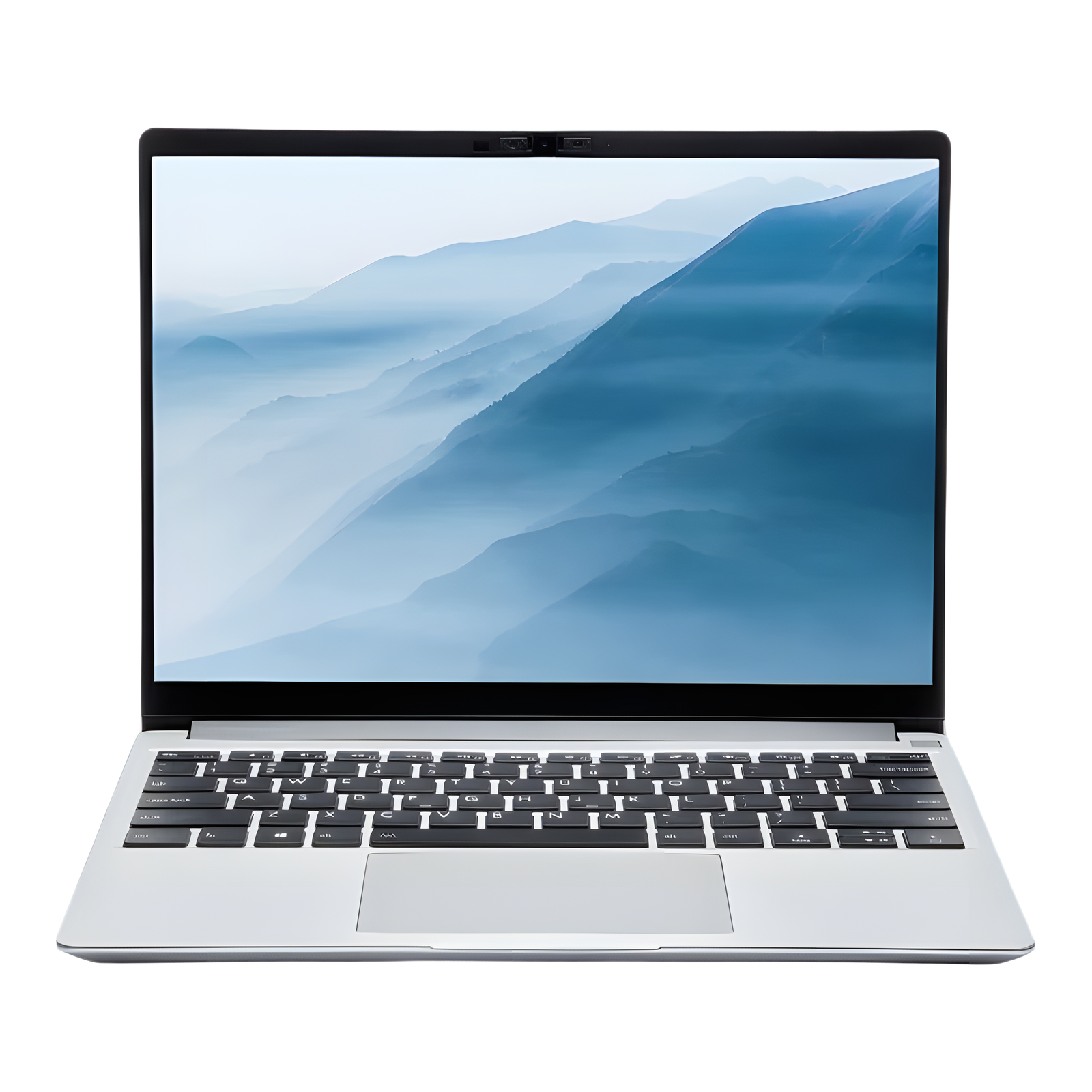
No photos recorded for this color yet
Framework Laptop 13 (11th Gen Intel, 2021)
Product ID: AKS-20261017-P7V8
The Framework Laptop 13 (11th Gen Intel, 2021) is the first laptop from startup Framework, built to be repaired and upgraded. RAM, SSD, Wi-Fi card, battery, keyboard, display and even the mainboard are replaceable, and four Expansion Card bays take USB-C, USB-A, HDMI, DisplayPort, microSD and other modules. iFixit gave it a 10/10 repairability score, and Ars Technica's review said it delivered on its promises; it has a 13.5-inch 3:2 display, 11th Gen Intel Core (base i5-1135G7) and a 55Wh battery, at 1.3kg. The DIY Edition lets you bring your own memory and SSD, and later mainboard generations drop into the same chassis.
Saved temporarily in this device’s browser only. No long-term storage or syncing.
Official list prices
Pending and starting prices do not confirm the price of a specific variant. Check each market’s currency and tax status.
No verified official price available
Product information
- Brand:
- Framework
- Category:
- Laptop
- Product line:
- Framework Laptop 13
- Release date:
- 2021-07-22
- Product ID:
- AKS-20261017-P7V8
- Official information:
- View manufacturer page
- Last updated:
- Oct 29, 2026
Specifications
Body and display
- Width
- 296.63 mm
- Depth
- 228.98 mm
- Maximum height
- 15.85 mm
- Weight
- 1.3 kg
- Display count
- 1
- Display size
- 13.5 in
- Display resolution
- 2256 × 1504 (3:2)
- Display technology
- 13.5-inch 3:2 glossy display, 100% sRGB, >400 nits
- Touchscreen
- No
Performance and storage
- Operating system
- Windows (Linux on DIY Edition)
- OS version
- Windows 10 (at launch)
- Processor
- Intel Core i5-1135G7 (base; i7-1165G7/i7-1185G7 options)
- Graphics
- Intel Iris Xe Graphics (integrated)
- Memory
- 8 GB
- Memory type
- DDR4 SO-DIMM (two slots, user-upgradeable)
- Storage
- 256 GB
- Storage type
- PCIe Gen4 NVMe M.2 SSD
- Upgradeable memory
- Yes
- Upgradeable storage
- Yes
Power and connectivity
- Battery capacity
- 55 Wh
- Ports
- 4 swappable Expansion Card bays (USB-C/USB4, USB-A, HDMI, DisplayPort, microSD, storage cards), 3.5mm headphone jack
- Wireless
- Wi-Fi 6, Bluetooth 5.2
Product reviews
Based on 4 reviews
Based on a limited sample of reviews.
ShortCircuit: Framework Laptop 13 (Intel 11th Gen) — Great Concept, Horrific Battery, Wobbly Hinge
Machine translated · Original language: Chinese (Taiwan) · Source language: Chinese (Taiwan)
Source
ShortCircuit
Key Takeaways
- Combined with power-hungry 11th Gen Intel and a tiny 55Wh battery, real-world battery taps out around 3.5-4 hours.
- Expansion card modules (especially HDMI and Type-A) suffer severe standby sleep battery drain bugs overnight.
- The initial display hinge is far too loose, wobbling violently whenever you type on your lap or adjust posture.
- Flimsy aluminum bottom chassis flexes under one-handed pick-ups, occasionally disabling physical touchpad clicks.
✅ Pros
- Unprecedented repairability with swappable mainboard and modular ports
- Ships with a single screwdriver to disassemble the entire machine
- Sharp, comfortable 3:2 aspect ratio productivity panel
❌ Cons
- Brutally short 3.5 to 4 hours real-world battery stamina
- Vampiric standby power drain bug with inserted cards
- Loose wobbly hinge unable to stay rigid during lap use
- Bottom chassis deck flexes and clicks under pressure
📝 Verdict
"Framework 13 was a noble DIY revolution undermined by awful battery life, standby bugs, and wobbly hinges."
View original
ShortCircuit:模組化理念值得喝采,但 4 小時悲劇續航、待機漏電與鬆垮轉軸
來源
ShortCircuit
重點摘要
- 在第 11 代 Intel 處理器與小容量 55Wh 電池搭配下,實際日常辦公續航僅有 3.5 到 4 小時,出門必須隨身攜帶充電器。
- 擴充模組卡(特別是 HDMI 與 Type-A)存在嚴重的睡眠待機漏電 Bug,筆電蓋上一夜掉電 30% 甚至完全耗盡。
- 早期配備的螢幕轉軸扭力不足,輕微移動筆電或在膝蓋上打字時螢幕頻繁劇烈晃動無法固定角度。
- 底殼鋁合金材質偏薄,在單手拿起筆電時底盤會發出輕微金屬扭曲聲,甚至因形變導致觸控板點擊失靈。
✅ 優點
- 可自由更換升級主機板與模組化 I/O 卡的極高可修復性
- 隨附螺絲起子即可輕鬆拆卸全機所有零組件
- 3:2 比例的高解析生產力清晰螢幕
❌ 缺點
- 日常僅 3.5 到 4 小時的極短續航
- 模組卡待機漏電導致隔夜斷電
- 鬆垮搖晃扭力不足的螢幕轉軸
- 底殼剛性偏弱單手握持易變形
📝 總結評語
「初代 Framework 承載了環保與模組化夢想,但待機漏電、尿崩電池與晃動轉軸讓日常體驗充满妥協。」
This AI-generated summary is based on the original source and was not written by its creator. It may contain errors or omissions; please consult the original source.
Just Josh: He expected junk, but it's a top-tier laptop
Machine translated · Original language: Chinese (Taiwan)
Source
- Video: A BETTER kind of laptop! - Framework Laptop Review
- Channel: Just Josh | Type: Professional review | Based on: YouTube transcript
Key points
- He expected this hyped laptop to be cheaply built and clunky, but was blown away: "the only BS is the excuses manufacturers have given for years about why laptops can't be upgraded"
- The keyboard is one of the most comfortable he's used, with ample key travel; the trackpad is so good you forget it's there; the 2256×1504 screen is bright with good contrast
- A 1080p 60fps webcam, with physical switches for the microphone and camera; but the microphone has a slight noise floor
- The upgradeable expansion card ports have high specs (USB4, 10Gbps USB-A), and Netflix playback at half brightness recorded over 7.5 hours of battery life; Linux support is the best he's seen
- Downsides: the speakers aren't loud enough and fire downward; the screen is reflective; he ordered on 9/22 and only received it on 11/4, about a month and a half of waiting
✅ Pros
- Very comfortable keyboard
- Upgradeable, repairable and well built
- Sharp screen
- 1080p webcam with physical switches
- Good Linux support
❌ Cons
- Weak, downward-firing speakers
- Reflective screen
- Long wait for shipping
- Not for gaming or creators
📝 Verdict
He really likes it and thinks it can compete with major brands' flagship laptops; it's good for students, general users, working from home and programmers; if you care about audio quality, buy a MacBook Pro instead.
View original
Just Josh:本以為會是爛貨,結果是頂級筆電
來源
- 影片:A BETTER kind of laptop! - Framework Laptop Review
- 頻道:Just Josh|類型:專業評測|摘要依據:YouTube 字幕逐字稿
重點摘要
- 他原本預期這台被炒作的筆電做工廉價、笨重,結果大為驚豔:『唯一的廢話是廠商多年來說筆電不能升級的理由』
- 鍵盤是他用過最舒適之一,鍵程充足;觸控板好到感覺不到它的存在;2256×1504 螢幕明亮、對比佳
- 1080p 60fps 視訊鏡頭,並有麥克風與鏡頭實體開關;但麥克風有輕微底噪
- 可升級的擴充卡連接埠規格高(USB4、10Gbps USB-A),螢幕亮度減半播放 Netflix 錄得超過 7.5 小時續航;Linux 支援是他見過最好的
- 缺點:喇叭不夠大聲、朝下發聲;螢幕反光;他 9/22 下單、11/4 才收到,約等一個半月
✅ 優點
- 鍵盤非常舒適
- 可升級、可維修且做工好
- 螢幕銳利
- 1080p 鏡頭與實體開關
- Linux 支援佳
❌ 缺點
- 喇叭弱且朝下
- 螢幕反光
- 出貨等待久
- 不適合遊戲與創作者
📝 總結評語
他非常喜歡,認為足以和大廠旗艦筆電競爭,適合學生、一般使用者、居家工作與程式設計師;若在意音質請改買 MacBook Pro。
This AI-generated summary is based on the original source and was not written by its creator. It may contain errors or omissions; please consult the original source.
Lon.TV: The easiest laptop to repair yourself, and it holds its own against rivals
Machine translated · Original language: Chinese (Taiwan)
Source
- Video: Framework Laptop Review - The "Right to Repair" Laptop !
- Channel: Lon.TV | Type: Professional review | Based on: YouTube transcript
Key points
- A screwdriver is included in the box, and it's the only tool you need; nothing is glued, the DIY Edition starts at about US$749, and you can bring your own RAM, storage and wireless card
- He reviewed the Professional edition his brother bought with his own money (about US$2,000, i7-1185G7, 32GB, 1TB); for a prebuilt, he recommends the Performance edition at about US$1,400
- The 13.5-inch 3:2 2256×1504 IPS (non-touch, about 400 nits) has vivid colors; he's satisfied with the 1080p 60fps webcam's image quality, and it has a physical switch
- Expansion card modules let you choose USB-A, DisplayPort, microSD, 1TB storage and more; but charging also has to take up one USB-C slot
- The speakers fire downward and sound a bit thin, fine for voice and video calls; battery life is about 8–10 hours, and the whole mainboard can be replaced in the future
✅ Pros
- Extremely easy to repair and upgrade
- Modular ports
- Good screen and webcam quality
- Light (about 1.3 kg)
❌ Cons
- Thin-sounding speakers
- Charging takes up an expansion slot
- No Windows Hello face recognition
📝 Verdict
If you care about the right to repair or want a computer you can upgrade yourself, you should seriously consider it; it's as good as its competitors, and it's the easiest-to-repair hardware he's seen in years.
View original
Lon.TV:最容易自己維修的筆電,表現不輸對手
來源
- 影片:Framework Laptop Review - The "Right to Repair" Laptop !
- 頻道:Lon.TV|類型:專業評測|摘要依據:YouTube 字幕逐字稿
重點摘要
- 盒中附螺絲起子,這是唯一需要的工具;沒有任何膠合,DIY 版約 749 美元起,可自備 RAM、儲存與無線網卡
- 他評測的是兄弟自費購買的 Professional 版(約 2,000 美元,i7-1185G7、32GB、1TB);他建議預組選約 1,400 美元的 Performance 版
- 13.5 吋 3:2 2256×1504 IPS(非觸控、約 400 nits)色彩亮麗;1080p 60fps 鏡頭畫質令他滿意,有實體開關
- 擴充卡模組可自選 USB-A、DisplayPort、microSD、1TB 儲存等;但充電也得佔用一個 USB-C 插槽
- 喇叭朝下、聲音偏單薄,適合語音與視訊會議;續航約 8–10 小時,主機板未來可整塊更換
✅ 優點
- 極易維修與升級
- 模組化連接埠
- 螢幕與鏡頭品質佳
- 輕巧(約 1.3 公斤)
❌ 缺點
- 喇叭單薄
- 充電需佔用擴充槽
- 無 Windows Hello 臉部辨識
📝 總結評語
若你在乎維修權或想要能自己升級的電腦,應該認真考慮;它和競爭對手一樣好,也是他多年來見過最容易維修的硬體。
This AI-generated summary is based on the original source and was not written by its creator. It may contain errors or omissions; please consult the original source.
Linus Tech Tips: A thin, light and repairable laptop—he ordered one on the spot
Machine translated · Original language: Chinese (Taiwan)
Source
- Video: A COMPLETELY Upgradeable Laptop? - Framework Laptop Review
- Channel: Linus Tech Tips | Type: Unboxing and assembly | Based on: YouTube transcript
Key points
- He refutes the claim that "you can't have both beautiful and repairable": Framework made a thin, light, good-looking and capable laptop—and he bought it himself
- On the DIY Edition, you only need to loosen 5 screws to open the bottom cover, and assembling it yourself saves about US$300; a screwdriver is included, the screws are color-coded, and QR codes take you to compatibility info and upgrade guides
- The webcam has a physical shutter and the microphone a hardware switch; the only fixed I/O is the headphone jack, and everything else is swappable expansion cards (there's even full-size DisplayPort)
- The keyboard has 1.5mm of key travel and the chassis is rigid; the keyboard, trackpad and fingerprint reader are made by established OEMs such as Lite-On, PixArt and Goodix, and there are Linux drivers
- His reservations: most laptops can already upgrade storage and the wireless card, so the real difference is in I/O and ease of repair; he also worries whether a new company can last
✅ Pros
- Easy to repair and upgrade
- Modular I/O
- Thin, light and well built
- DIY Edition is cheaper
- Physical privacy switches
❌ Cons
- Doubts about a new company's long-term viability
- Some of its upgradeability is shared by other laptops
📝 Verdict
He was convinced and ordered one right in the video (at the time only a US$100 deposit was required, shipping in the summer).
View original
Linus Tech Tips:輕薄又可維修的筆電,看完當場下訂
來源
- 影片:A COMPLETELY Upgradeable Laptop? - Framework Laptop Review
- 頻道:Linus Tech Tips|類型:開箱組裝|摘要依據:YouTube 字幕逐字稿
重點摘要
- 他反駁『漂亮與可維修不可兼得』的說法:Framework 做出了輕薄、好看又有效能的筆電,而且是他自己買的
- DIY 版只需鬆開 5 顆螺絲即可打開底殼,自己組裝可省約 300 美元;附螺絲起子,螺絲有顏色標示,QR Code 帶你查相容性與升級教學
- 鏡頭有實體遮蔽、麥克風有硬體開關;唯一固定的 I/O 是耳機孔,其餘為可換擴充卡(甚至有全尺寸 DisplayPort)
- 鍵盤 1.5mm 鍵程、機身剛性好;鍵盤、觸控板、指紋辨識分別由 Lite-On、PixArt、Goodix 等老牌 OEM 製造,且有 Linux 驅動
- 他的保留:多數筆電本來就能升級儲存與無線網卡,真正的差異在於 I/O 與維修便利;他也擔心新公司能否長久經營
✅ 優點
- 容易維修與升級
- 模組化 I/O
- 輕薄做工好
- DIY 版更便宜
- 實體隱私開關
❌ 缺點
- 新公司長期經營存疑
- 部分升級性其他筆電也有
📝 總結評語
他被說服了,影片中直接下訂一台(當時只收 100 美元訂金、夏季出貨)。
This AI-generated summary is based on the original source and was not written by its creator. It may contain errors or omissions; please consult the original source.