
No photos recorded for this color yet
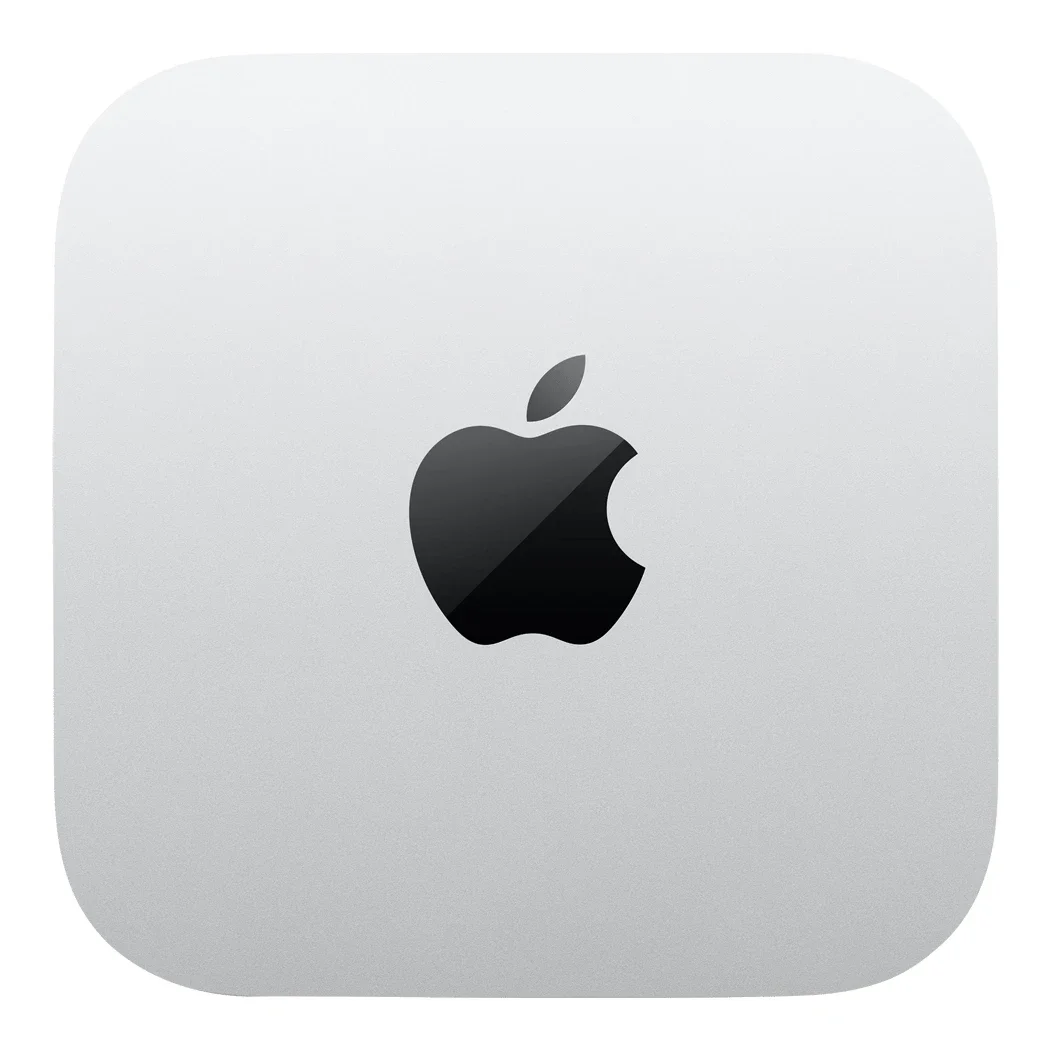
Mac mini (M4, 2024)
Product ID: AKS-20261017-YUX7
The Mac mini (M4, 2024) is the biggest Mac mini redesign since 2010, and a strong-value Mac from $599. The body shrinks to 12.7 × 12.7 × 5.0 cm, two front USB-C ports and a headphone jack are added, and the base M4 model now starts with 16GB of memory. The main controversy was moving the power button to the underside, so you have to lift the machine to press it; Apple marketing chief Greg Joswiak responded that users 'pretty much never' use it (TechRadar and others). An M4 Pro version with Thunderbolt 5 is also offered.
Saved temporarily in this device’s browser only. No long-term storage or syncing.
Official list prices
Pending and starting prices do not confirm the price of a specific variant. Check each market’s currency and tax status.
United States (US) · 1 USD 599
-
Starting at
USD 599 US
Product price · Tax excluded
Official source · Checked
美國官方定價:599 美元 起
Product information
- Brand:
- Apple
- Category:
- Desktop computer
- Product line:
- Mac mini
- Release date:
- 2024-11-08
- Product ID:
- AKS-20261017-YUX7
- Official information:
- View manufacturer page
- Last updated:
- Oct 31, 2026
Specifications
Body
- Width
- 127 mm
- Height
- 50 mm
- Depth
- 127 mm
- Weight
- 670 g
Performance & system
- Processor
- Apple M4 (10-core CPU: 4 performance + 6 efficiency); M4 Pro option
- Graphics processor
- 10-core GPU, hardware-accelerated ray tracing
- Memory
- 16 GB
- Memory type
- Unified memory (24GB/32GB options)
- Storage
- 256 GB
- Storage type
- SSD
- Operating system
- macOS
- Form factor
- Mini desktop
- Upgradeable memory
- No
- Upgradeable storage
- No
Connectivity & compatibility
- Ports
- Front: 2× USB-C (USB 3, 10Gb/s), 3.5mm; back: 3× Thunderbolt 4, HDMI, Gigabit Ethernet (10Gb option)
- Wireless connectivity
- Wi-Fi 6E(802.11ax)
- Bluetooth version
- 5.3
Battery & power
- Power supply rating
- 155 W
Product reviews
Based on 4 reviews
Based on a limited sample of reviews.
Snazzy Labs: Mac mini (M4, 2024) Review — Bottom Power Button Fiasco & Jammed I/O
Machine translated · Original language: Chinese (Taiwan) · Source language: Chinese (Taiwan)
Source
Snazzy Labs
Key Takeaways
- Putting the power button on the actual underside forces users to physically lift or tilt the chassis up to boot, an ergonomic comedy.
- Dramatic shrinkage to a tiny 5x5 inch footprint leaves ports jammed tightly together; thick flash drives block neighbor ports.
- Front-facing 3.5mm headphone jack leaves cables sprawling messily across clean minimalist desk setups.
- While the SSD is technically on a modular daughterboard, proprietary software whitelists make DIY upgrades a headache.
✅ Pros
- Unmatched performance-per-dollar ratio starting at $599
- Groundbreaking 5x5-inch miniature footprint
- Dual front USB-C ports make everyday docking a breeze
❌ Cons
- Hilariously dumb bottom power button placement
- Cramped rear ports conflict with bulky connectors
- Dangling front headphone wire clutters desk
- Proprietary SSD controller limits third-party upgrades
📝 Verdict
"M4 Mac mini is a price-to-performance triumph held back by the funniest, most anti-ergonomic power button in history."
View original
Snazzy Labs:底部反人類的電源開關鍵,緊密挨著的背面接口與外置變壓器線
來源
Snazzy Labs
重點摘要
- 蘋果將電源開關按鈕移到了機身左後方正下方,每次開機或當機重啟必須伸手指抬起整台主機底部,堪稱人體工學災難。
- 機身劇烈縮小至 12.7 公分平方,但背面三個 Thunderbolt 孔與 HDMI 間距過近,插上外接隨身碟後會擋住相鄰線材。
- 前面板的 3.5mm 耳機插孔插上耳機線後,垂直懸垂的線條在桌面上造成雜亂拉扯感,視覺破壞簡潔美感。
- 內部 SSD 雖然採用獨立插卡模組但配有原廠硬體白名單鎖定,使用者自行更換副廠硬碟依然困難重重。
✅ 優點
- M4 晶片在 599 美元價位提供不可思議的強大運算性能
- 縮小至 5x5 吋小巧精緻無比的劃時代外觀
- 前方加入雙 USB-C 接口大幅提升外接便利性
❌ 缺點
- 反人類需要搬抬主機的底部電源鍵
- 背面接口間距過緊插頭互相打架
- 正面耳機線材拉扯桌面視覺雜亂
- SSD 模組鎖定副廠擴充依然艱難
📝 總結評語
「M4 Mac mini 是年度性價比神機,但底部電源按鈕的反人類搞笑設計,讓每次開機都充滿無奈。」
This AI-generated summary is based on the original source and was not written by its creator. It may contain errors or omissions; please consult the original source.
Linus Tech Tips: Finally, a Mac for this economy
Machine translated · Original language: Chinese (Taiwan)
Source
- Video: Finally a Mac for This Economy - Mac Mini M4
- Channel: Linus Tech Tips | Type: Professional review | Based on: YouTube transcript
Key points
- If you only use the US$600 base model for email, video calls, light professional work or even casual gaming, it's practically a steal; he'd recommend it to friends who just need a reasonably priced computer
- They compared it with a mini PC also under US$600 (Minisforum Venus) and a self-built tower desktop; the M4 performed impressively in tests such as Cinebench
- The M4 has two more efficiency cores than the M3, more than double the Neural Engine compute, and higher memory bandwidth; unified memory is a big advantage for AI work
- For gaming, Apple silicon performance isn't bad, but compatibility is still a problem, and the tower desktop with a discrete graphics card had the highest frame rates; the built-in speaker is much better than having no speaker
- Downsides: memory and storage upgrades are priced like gold (the price of two base models buys one version with double the memory and storage), and the power button on the bottom is also controversial
✅ Pros
- Base model is an exceptional value
- Strong M4 performance
- Unified memory helps with AI
- Apple ecosystem integration
❌ Cons
- Extremely expensive upgrade options
- Poor gaming compatibility
- Power button placement
📝 Verdict
The upgrade configurations are terrible, but the US$600 base model is as good as it looks on paper; if you're not gaming and already own Apple devices, the Mac mini is a very good choice.
View original
Linus Tech Tips:終於有台適合這個經濟環境的 Mac
來源
- 影片:Finally a Mac for This Economy - Mac Mini M4
- 頻道:Linus Tech Tips|類型:專業評測|摘要依據:YouTube 字幕逐字稿
重點摘要
- 600 美元的基本款若只用來收信、視訊、輕度專業工作甚至休閒遊戲,簡直是搶劫價;他會推薦給只需要一台價格合理電腦的朋友
- 他們拿它與同樣低於 600 美元的迷你 PC(Minisforum Venus)和自組直立式桌機比較;Cinebench 等測試中 M4 表現亮眼
- M4 比 M3 多兩顆效率核心、神經網路引擎運算量翻倍以上、記憶體頻寬提升;統一記憶體在 AI 工作上是一大優勢
- 遊戲方面 Apple 晶片效能不差,但相容性仍是問題,有獨立顯示卡的直立桌機幀率最高;內建喇叭比沒有喇叭好得多
- 缺點:記憶體與儲存升級價格貴如黃金(兩台基本款的價格可買一台雙倍記憶體與儲存的版本),電源鍵在底部也惹議
✅ 優點
- 基本款極超值
- M4 效能強
- 統一記憶體利於 AI
- Apple 生態系整合
❌ 缺點
- 升級選配極貴
- 遊戲相容性差
- 電源鍵位置
📝 總結評語
升級配置很糟,但 600 美元的基本款和紙上規格一樣好;如果不是為了遊戲,又已擁有 Apple 裝置,Mac mini 會是非常好的選擇。
This AI-generated summary is based on the original source and was not written by its creator. It may contain errors or omissions; please consult the original source.
Dave2D: M4 Mac mini review—Apple nailed it
Machine translated · Original language: Chinese (Taiwan)
Source
- Video: M4 Mac Mini Review - Apple NAILED It.
- Channel: Dave2D | Type: Professional review | Based on: YouTube transcript
Key points
- It's much smaller than the previous generation and looks like it's in a completely different class from the Mac Studio, yet it keeps up with the Mac Studio in many benchmarks and in performance; nothing else on the market matches its size, performance and price
- It starts at US$600, or US$500 for students, and he thinks the base model is one of the best-value products in Apple's history
- After a week, the bottom power button felt easy to use—the machine is so light that a slight tilt lets you press it; the ring-shaped grille on the bottom handles both intake and exhaust; the built-in speaker is much better than the previous generation's
- It gets warm under sustained full load but stays very quiet—almost a silent Mac; the M4 Pro's multi-core performance is especially impressive, and it offers Thunderbolt 5
- Memory and storage upgrade prices hurt, so he suggests using an external drive instead (USB4/Thunderbolt if you need high speed); if you're not sure you need the Pro, buy the regular version, which also holds its value well for resale later
✅ Pros
- Great-value base model
- Small yet powerful
- Very quiet
- Improved speaker
❌ Cons
- Expensive memory and storage upgrades
- Gets warm under full load
📝 Verdict
The M4 and M4 Pro Mac minis are outstanding systems this year; Apple got it right this time.
View original
Dave2D:M4 Mac mini 評測——Apple 做對了
來源
- 影片:M4 Mac Mini Review - Apple NAILED It.
- 頻道:Dave2D|類型:專業評測|摘要依據:YouTube 字幕逐字稿
重點摘要
- 體積比前代小很多,看起來與 Mac Studio 完全不同等級,但許多跑分與效能可以跟上 Mac Studio;市面上沒有同尺寸、同效能又同價位的產品
- 起價 600 美元、學生 500 美元,他認為基本款是 Apple 史上最超值的產品之一
- 底部電源鍵用了一週後覺得很輕鬆,機身輕到傾斜一下就能按;底部環形格柵同時負責進氣與排氣;內建喇叭比前代好很多
- 長時間滿載會變熱但仍非常安靜,幾乎是靜音的 Mac;M4 Pro 多核效能尤其驚人,並提供 Thunderbolt 5
- 記憶體與儲存升級價格令人肉痛,建議改用外接硬碟(需要高速可選 USB4/Thunderbolt);不確定是否需要 Pro 就買一般版,日後轉賣也容易保值
✅ 優點
- 超值的基本款
- 小巧又強大
- 非常安靜
- 喇叭改善
❌ 缺點
- 記憶體與儲存升級昂貴
- 滿載會變熱
📝 總結評語
M4 與 M4 Pro Mac mini 是今年非常出色的系統,Apple 這次做對了。
This AI-generated summary is based on the original source and was not written by its creator. It may contain errors or omissions; please consult the original source.
Marques Brownlee: The M4 Mac mini is incredible!
Machine translated · Original language: Chinese (Taiwan)
Source
- Video: The M4 Mac Mini is Incredible!
- Channel: Marques Brownlee | Type: Professional review | Based on: YouTube transcript
Key points
- The first crazy thing: it's tiny, 5×5 inches and 2 inches tall, smaller than his R5 with a lens or a new roll of tape, and only a bit bigger than an Apple TV; it looks like a shrunken Mac Studio
- On the back are Gigabit Ethernet and HDMI, and on the front two USB-C ports and a headphone jack; there's no SD card reader and no USB-A; moving the power button to the bottom was mocked, but in practice it's not a problem; it's nearly inaudible when running
- The second: the base model is one of the best deals in tech—memory doubled to 16GB, a 10-core CPU and 10-core GPU; US$499 with student pricing; but Apple's upgrade pricing (the price ladder) is outrageous
- The third: the top-spec M4 Pro version (he tested 48GB) posted the highest CPU score of any desktop Mac, with a big lead in single-core, and GPU performance roughly equal to the M1 Max; Thunderbolt 5 can drive three 6K displays
- For people who want a portable workstation, the top-spec Mac mini is a strong option
✅ Pros
- Tiny size
- Base model is a great value
- Powerful performance
- Quiet
❌ Cons
- Expensive upgrade options
- Power button on the bottom
- No SD card slot or USB-A
📝 Verdict
The efficiency of Apple silicon has finally let Apple make the small yet powerful computer it always wanted; the base model in particular is the best-value Apple product right now.
View original
Marques Brownlee:M4 Mac mini 不可思議!
來源
- 影片:The M4 Mac Mini is Incredible!
- 頻道:Marques Brownlee|類型:專業評測|摘要依據:YouTube 字幕逐字稿
重點摘要
- 第一件瘋狂的事:體積極小,5×5 吋、高 2 吋,比他的 R5 加鏡頭、一卷新膠帶還小,只比 Apple TV 大一點;外型像縮小版 Mac Studio
- 背面有 Gigabit 乙太網路與 HDMI,前面兩個 USB-C 與耳機孔;沒有 SD 讀卡機也沒有 USB-A;電源鍵移到底部雖被嘲笑,但實際不成問題;運作時幾乎聽不到聲音
- 第二件:基本款是科技界最划算的交易之一——記憶體加倍到 16GB、10 核 CPU 與 10 核 GPU;學生價 499 美元;但 Apple 的升級價格(價格階梯)很誇張
- 第三件:頂規 M4 Pro 版(他測 48GB)跑出所有桌上型 Mac 中最高的 CPU 分數,單核大幅領先,GPU 約等於 M1 Max;Thunderbolt 5 可接三台 6K 螢幕
- 對想要可攜工作站的人,頂規 Mac mini 是個有力的選擇
✅ 優點
- 極小體積
- 基本款超值
- 效能強大
- 安靜
❌ 缺點
- 升級選配昂貴
- 電源鍵在底部
- 無 SD 卡槽與 USB-A
📝 總結評語
Apple 晶片的效率讓 Apple 終於能做出它一直想做的小巧又強大的電腦;基本款尤其是現在最划算的 Apple 產品。
This AI-generated summary is based on the original source and was not written by its creator. It may contain errors or omissions; please consult the original source.