
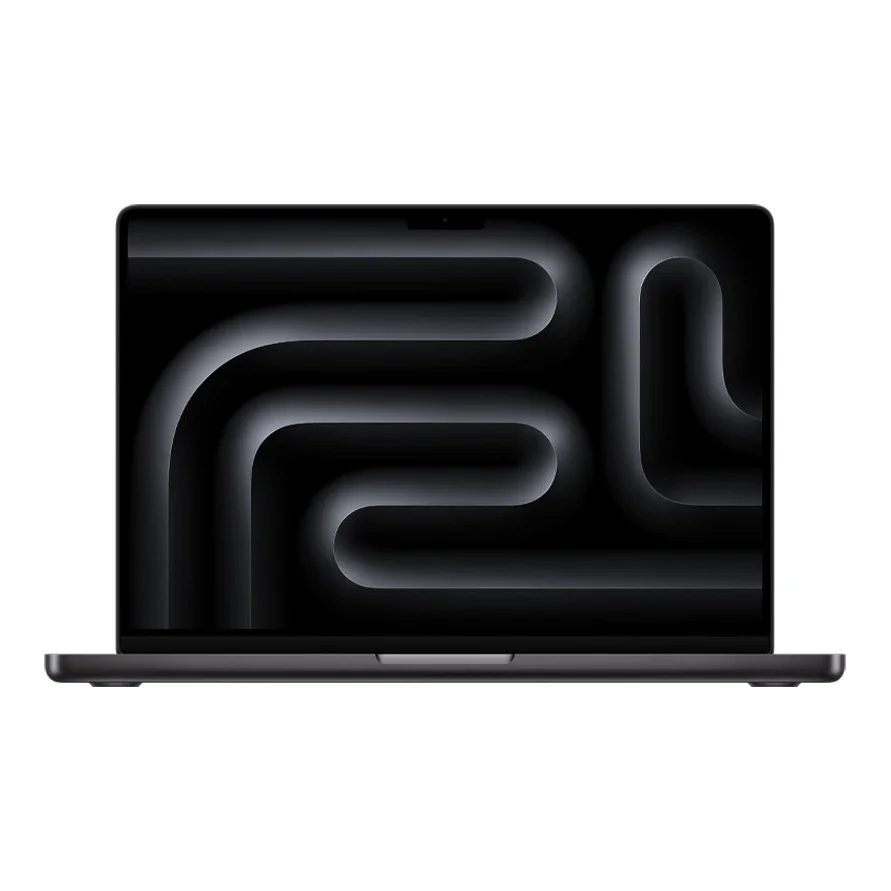
No photos recorded for this color yet
Apple MacBook Pro 14-inch (M5 Pro / M5 Max)
Product ID: AKS-20261009-D6B9
The Apple MacBook Pro 14-inch (M5 Pro/M5 Max) offers the higher-end chip options of the 14-inch MacBook Pro, in the same chassis as the standard M5 model (listed separately), with a 14.2-inch Liquid Retina XDR display (ProMotion 120Hz, 1600 nits peak HDR). Choose M5 Pro (15-core CPU/16-core GPU or 18-core CPU/20-core GPU) or M5 Max (18-core CPU with a 32- or 40-core GPU), with up to 128GB of unified memory and up to 8TB of SSD storage. It has three Thunderbolt 5 ports, HDMI, SDXC and MagSafe 3, Apple N1 for Wi-Fi 7, Bluetooth 6 and Thread, and a 72.4Wh battery rated for up to 22 hours of video streaming (M5 Pro) or 20 hours (M5 Max). The 15-core M5 Pro ships with a 70W adapter; the 18-core M5 Pro and M5 Max with 140W. 1.60kg (M5 Pro) / 1.62kg (M5 Max), in Space Black and Silver. Released 2026-03-11.
Saved temporarily in this device’s browser only. No long-term storage or syncing.
Official list prices
Pending and starting prices do not confirm the price of a specific variant. Check each market’s currency and tax status.
No verified official price available
Product information
- Brand:
- Apple
- Category:
- Laptop
- Product line:
- MacBook Pro
- Release date:
- 2026-03-11
- Product ID:
- AKS-20261009-D6B9
- Official information:
- View manufacturer page
- Last updated:
- Oct 29, 2026
Specifications
Body and display
- Width
- 312.6 mm
- Depth
- 221.2 mm
- Minimum height
- 15.5 mm
- Maximum height
- 15.5 mm
- Weight
- 1.6 kg
- Display count
- 1
- Display size
- 14.2 in
- Display resolution
- 3024 × 1964
- Display technology
- Liquid Retina XDR (254 ppi; 1600 nits peak HDR, up to 1000 nits SDR; P3; nano-texture option)
- Refresh rate
- 120 Hz
- Touchscreen
- No
Performance and storage
- Operating system
- macOS
- OS version
- 27 (current shipping version; launched with macOS 26 in March 2026)
- Processor
- Apple M5 Pro (15-core CPU: 5 super cores + 10 performance cores, or 18-core CPU: 6 super cores + 12 performance cores); M5 Max option (18-core CPU: 6 super cores + 12 performance cores)
- Graphics
- M5 Pro 16- or 20-core GPU; M5 Max 32- or 40-core GPU (with Neural Accelerators, hardware-accelerated ray tracing)
- NPU
- 16-core Neural Engine
- Memory type
- Unified memory (M5 Pro 24GB standard; 36/48/64/128GB depending on chip; 307GB/s bandwidth, M5 Max 460/614GB/s)
- Storage type
- SSD (1TB or 2TB standard; up to 4TB with M5 Pro, 8TB with M5 Max)
Power and connectivity
- Battery capacity
- 72 Wh
- Ports
- MagSafe 3; 3× Thunderbolt 5 (USB-C, up to 120Gb/s); HDMI; SDXC card slot; 3.5mm headphone jack
- Wireless
- Apple N1: Wi-Fi 7 (802.11be); Bluetooth 6; Thread
- Camera
- 12MP Center Stage camera (with Desk View), 1080p video
- Color
- Space Black / Silver
Display
- Peak brightness
- 1,600 nits
Product reviews
Based on 4 reviews
Based on a limited sample of reviews.
The Tech Chap: MacBook Pro 14 (M5 Pro/Max) — Sharp Edges, Display Ghosting, Costly RAM
Machine translated · Original language: Chinese (Taiwan) · Source language: Chinese (Taiwan)
Source
The Tech Chap
Key Takeaways
- Sharp un-chamfered front aluminum lip digs painfully into wrists during long typing sessions, leaving deep red indentations.
- Slow Mini-LED pixel response times create noticeable ghosting and smearing on white text against dark backgrounds.
- At 15.5mm thick, the blocky silhouette feels chunky compared to the svelte tapered profile of MacBook Air.
- Rising AppleCare+ protection costs and steep build-to-order upgrade taxes make entry pricing uncomfortably high.
✅ Pros
- Blazing M5 Pro multithreaded compute efficiency
- Vibrant 120Hz ProMotion XDR brightness and contrast
- Generous port selection: SD slot, HDMI, MagSafe
❌ Cons
- Sharp front chassis lip hurts resting wrists
- Dark mode pixel response smearing artifacts
- Chunky blocky frame lacks Air-like portability
- Expensive build-to-order upgrade markups
📝 Verdict
"MacBook Pro 14 offers unmatched performance let down by sharp wrist edges, display smearing, and high upgrade taxes."
View original
The Tech Chap:機身边緣鋒利微刮手腕,高對比像素殘影與昂貴選配
來源
The Tech Chap
重點摘要
- 鋁合金機身前緣倒角未做平滑圓潤過渡,手腕靠在掌托打字時邊緣金屬鋒利割手,長時間打字產生深刻壓痕。
- Mini-LED 螢幕像素反應時間偏慢,在暗色背景下快速捲動網頁或時間軸時,白色文字周圍有明顯拖影與殘影。
- 厚度達到 15.5mm 在 14 吋小筆電中顯得方正笨重,不如 MacBook Air 握持輕巧靈動。
- 官方 Apple Care+ 與原廠選配升級費用節節高升,讓這台專業筆電的入手門檻居高不下。
✅ 優點
- M5 Pro 晶片多工處理流暢無比
- 120Hz ProMotion 視網膜螢幕亮麗奪目
- 接口齊全無需攜帶繁雜轉接器
❌ 缺點
- 機身邊緣鋒利長時間打字手腕壓痛
- 暗色背景滾動時存在螢幕拖影殘影
- 方正機身厚度偏厚不如 Air 輕巧
- 昂貴的原廠選配與售後保固成本
📝 總結評語
「MBP 14 是最均衡的創作者利器,但割手邊框、螢幕暗部殘影與高昂升級稅,依舊是不容忽視的缺憾。」
This AI-generated summary is based on the original source and was not written by its creator. It may contain errors or omissions; please consult the original source.
Just Josh: The 15-core M5 Pro is this year's sweet spot, and the M5 Max doesn't overheat even in the 14-inch
Machine translated · Original language: Chinese (Taiwan)
Source
- Video: MacBook Pro 14 M5 Pro & Max: Don’t Buy the Wrong One
- Channel: Just Josh | Type: Full review (comparing every model, all self-purchased) | Based on: YouTube transcript (fetched with youtube-transcript-api)
Key points
- He thinks that in a year when Windows laptop prices rose sharply, MacBook Pro prices barely changed, making it all the more attractive; the MacBook Pro 14 is one of his own main machines.
- Buying advice: for performance, choose the 15-core M5 Pro, which this year comes standard with 24GB of memory and starts at 1TB — the sweet spot; for CPU-only workloads, choose the 18-core M5 Pro (its CPU is basically the same as the M5 Max); for heavy GPU creative work and AI development, choose the M5 Max, though it's pricier and has the shortest battery life.
- Putting the high-end chips in the 14-inch costs less performance than expected; the 16-inch is mainly for a bigger screen, longer battery life and cooler running under heavy load. Compared with M3 or older models, the new machines are clearly faster but with slightly worse battery life; the M4 series is also worth buying at a good discount.
- Games mostly exceed 60fps at 1920×1200, but gaming isn't the Mac's strength; in local AI tests (a 14B model) the M5 Pro improves a lot over the M4 Pro, with little difference between the 16-core and 20-core GPUs; the Max chip performs better in the 16-inch version.
- He expected the 14-inch with the Max to run too hot and lose too much performance, but in practice it didn't, and he decided to keep the MacBook Pro 14 M5 Max this year. He recommends waiting for discounts of $150+ on the Pro models and $300+ on the Max models before buying.
✅ Pros
- The 15-core M5 Pro is a sensible configuration with ample performance
- The M5 Max still performs well in the 14-inch body
- 1TB base storage
- Relatively stable pricing
❌ Cons
- The M5 Max has the shortest battery life
- Gaming isn't its strength
- Slightly lower battery life than older models
- Little difference between the 16-core and 20-core GPUs
📝 Verdict
Most professionals should pick the 15-core M5 Pro: only heavy video, 3D and AI developers need the Max — though the Max's performance squeezed into the 14-inch is impressive.
View original
Just Josh:M5 Pro 15 核心是今年的甜蜜點,M5 Max 塞進 14 吋也不會過熱
來源
- 影片:MacBook Pro 14 M5 Pro & Max: Don’t Buy the Wrong One
- 頻道:Just Josh|類型:完整評測(自購全部機型比較)|摘要依據:YouTube 字幕逐字稿(youtube-transcript-api 擷取)
重點摘要
- 他認為在 Windows 筆電大漲價的一年,MacBook Pro 價格幾乎沒變,更顯吸引力;他本身就以 MacBook Pro 14 為主力機之一。
- 選購建議:要效能的人選 M5 Pro 15 核心,今年標配 24GB 記憶體與 1TB 起跳,是甜蜜點;只吃 CPU 的工作選 M5 Pro 18 核心(CPU 與 M5 Max 基本相同);重度 GPU 創作與 AI 開發選 M5 Max,但較貴、續航也最短。
- 14 吋放進高階晶片損失的效能比預期小;選 16 吋主要是為了更大螢幕、更長續航與高負載時更涼。相較 M3 或更早的機型,新機明顯更快但續航略差;M4 系列若有好折扣也值得買。
- 遊戲在 1920×1200 下多能超過 60fps,但不是 Mac 強項;本地 AI(14B 模型)測試中 M5 Pro 相較 M4 Pro 進步很大,16 核心與 20 核心 GPU 差異不大;Max 晶片在 16 吋版本表現更好。
- 他原以為 14 吋配 Max 會太燙、效能損失太多,實際用下來沒有,今年決定留下 MacBook Pro 14 M5 Max。建議 Pro 機型等 150 美元以上、Max 機型等 300 美元以上折扣再買。
✅ 優點
- M5 Pro 15 核心配置合理、效能充足
- M5 Max 在 14 吋機身仍能發揮
- 標配 1TB 起跳
- 價格相對穩定
❌ 缺點
- M5 Max 續航最短
- 遊戲不是強項
- 相較舊機型續航略降
- 16 核心與 20 核心 GPU 差距不大
📝 總結評語
多數專業使用者選 M5 Pro 15 核心:只有重度影片、3D 與 AI 開發者才需要 Max;但 Max 塞進 14 吋的表現令人驚豔。
This AI-generated summary is based on the original source and was not written by its creator. It may contain errors or omissions; please consult the original source.
ShortCircuit: The M5 Pro MacBook Pro has first-rate build, display and speakers, but its cooling strategy is too conservative
Machine translated · Original language: Chinese (Taiwan)
Source
- Video: This might convince me to switch - M5 Pro MacBook Pro
- Channel: ShortCircuit | Type: Hands-on review (from a Windows laptop reviewer's perspective) | Based on: YouTube transcript (fetched with youtube-transcript-api)
Key points
- A host who has long reviewed Windows laptops uses a MacBook Pro seriously for the first time: the body is solid and sturdy, heavy but very rigid; but he dislikes the huge wall charger and wishes Apple would bring back the glowing logo.
- The base M5 Pro comes standard with a 1TB SSD, Wi-Fi 7 and Bluetooth 6; the memory options are a bit odd, with 36GB only available if you upgrade to the Max or a higher-end Pro chip.
- Running Cyberpunk 2077, the CPU hit 92–93°C and the GPU approached 100°C, yet the fans ran at only about 40% and responded slowly; manually setting them to 100% dropped temperatures dramatically, and he thinks Apple's fan strategy is too conservative. Heat is concentrated above the keyboard, while the palm rest stays cool.
- The speakers are the best laptop speakers he's heard, and the display is outstanding.
- At around $2,200 in the US, he thinks it's reasonable for what you get; although the similarly priced ASUS ZenBook Duo offers more hardware, the Mac holds its resale value well and can be used for many years.
✅ Pros
- Solid build
- Top-tier display and speakers
- 1TB SSD and Wi-Fi 7 standard
- High resale value
❌ Cons
- Under heavy load the fans respond slowly and temperatures run high
- Bulky charger
- Memory options are tied to the chip
- Still expensive
📝 Verdict
A great laptop, if you accept Apple's trade-offs: the MacBook Pro's display, speakers and build are still top-notch, it's just that the default cooling strategy favors quiet over cool.
View original
ShortCircuit:M5 Pro MacBook Pro 做工與螢幕喇叭一流,但散熱策略太保守
來源
- 影片:This might convince me to switch - M5 Pro MacBook Pro
- 頻道:ShortCircuit|類型:上手評測(Windows 筆電評測者觀點)|摘要依據:YouTube 字幕逐字稿(youtube-transcript-api 擷取)
重點摘要
- 長期評測 Windows 筆電的主持人第一次認真用 MacBook Pro:機身扎實堅固、雖重但剛性很好;但他不喜歡巨大的插牆式充電器,也希望 Apple 把會發光的 logo 找回來。
- M5 Pro 基本款標配 1TB SSD、Wi-Fi 7 與藍牙 6;記憶體選項有些奇怪,36GB 必須升級到 Max 或較高階的 Pro 晶片才有。
- 跑《電馭叛客 2077》時 CPU 達 92~93°C、GPU 逼近 100°C,風扇卻只有約 40% 轉速且反應很慢;手動拉到 100% 後溫度大幅下降,他認為 Apple 的風扇策略過於保守。熱主要集中在鍵盤上方,手托區仍涼。
- 喇叭是他聽過最好的筆電喇叭,螢幕非常出色。
- 美國售價約 2,200 美元,他認為以內容算合理,雖然同價位的 ASUS ZenBook Duo 給更多硬體,但 Mac 的轉售價值高、可用很多年。
✅ 優點
- 做工扎實
- 螢幕與喇叭頂級
- 標配 1TB SSD、Wi-Fi 7
- 轉售價值高
❌ 缺點
- 高負載時風扇反應慢、溫度高
- 充電器體積大
- 記憶體選項受晶片限制
- 價格仍高
📝 總結評語
好筆電,但要接受 Apple 的取捨:MacBook Pro 的螢幕、喇叭與做工依然頂尖,只是預設散熱策略偏向安靜而非涼爽。
This AI-generated summary is based on the original source and was not written by its creator. It may contain errors or omissions; please consult the original source.
Kyle Erickson: The base M5 Pro can almost replace a Mac Studio — the most complete Pro MacBook
Machine translated · Original language: Chinese (Taiwan)
Source
- Video: MacBook Pro M5 Pro After 1 Week: This Might Actually Be the One
- Channel: Kyle Erickson | Type: One-week review (base M5 Pro, silver) | Based on: YouTube transcript (fetched with youtube-transcript-api)
Key points
- He ran his full creative workflow on it — photo editing, design, 3D modeling and video editing — and there was almost nothing it couldn't handle; he thinks most professional work doesn't require looking any higher.
- The design hasn't changed since 2021 (same size, weight, ports and colors), and he wishes there were more colors; the mini-LED XDR display, though unchanged for years, is still excellent, with deep blacks close to OLED.
- The M5 Pro moves to a Fusion architecture, fusing two dies; memory bandwidth rises from 273GB/s on the M4 Pro to 307GB/s. The base CPU has 5 super cores + 10 performance cores, with no efficiency cores anymore; single-core is about 10% faster and multi-core about 25% faster, and while the GPU core count is still 16, graphics benchmarks are 30%–50% faster.
- A 1TB SSD and 24GB of memory come standard, more than enough for his workflow; the N1 chip brings Wi-Fi 7 and Bluetooth 6, with network speeds about 100Mbps faster than the M4 Pro and his Mac Studio, and stable Bluetooth.
- In daily use it feels almost the same as a Mac Studio costing twice as much, with the gap only noticeable when rendering video or compiling large programs; if you care about a possible OLED redesign in the next generation, you could consider waiting.
✅ Pros
- Enough performance for most professional work
- The XDR display is still excellent
- 1TB SSD and 24GB of memory standard
- Good Wi-Fi 7 and Bluetooth 6 performance
❌ Cons
- The design hasn't changed since 2021
- Few color options
- The next generation may bring an OLED redesign
📝 Verdict
The top pick for most professional users: the base M5 Pro's performance and completeness make it the most recommendable Pro laptop right now.
View original
Kyle Erickson:M5 Pro 基本款幾乎能取代 Mac Studio,是最完整的 Pro MacBook
來源
- 影片:MacBook Pro M5 Pro After 1 Week: This Might Actually Be the One
- 頻道:Kyle Erickson|類型:使用一週評測(M5 Pro 基本款、銀色)|摘要依據:YouTube 字幕逐字稿(youtube-transcript-api 擷取)
重點摘要
- 他用這台跑完整創作流程:修圖、設計、3D 建模與剪片,幾乎沒有處理不了的事,認為多數專業工作不必再往上看。
- 設計自 2021 年沒變(尺寸、重量、連接埠、顏色相同),他希望有更多顏色;mini-LED XDR 螢幕雖多年未變仍非常出色,黑色深邃接近 OLED。
- M5 Pro 改用 Fusion 架構,由兩顆晶片融合;記憶體頻寬由 M4 Pro 的 273GB/s 提升到 307GB/s。基本款 CPU 為 5 個超級核心+10 個效能核心,不再有節能核心;單核約快 10%、多核約快 25%,GPU 核心數同為 16 但圖形跑分快 30%~50%。
- 標配 1TB SSD 與 24GB 記憶體,他的工作流程綽綽有餘;N1 晶片帶來 Wi-Fi 7 與藍牙 6,網速比 M4 Pro 和他的 Mac Studio 快約 100Mbps,藍牙穩定。
- 日常使用感受和兩倍價格的 Mac Studio 幾乎相同,只有算繪影片或編譯大型程式時才感覺得到差距;若在意下一代可能的 OLED 新設計,可以考慮等待。
✅ 優點
- 效能足以應付大部分專業工作
- XDR 螢幕依然出色
- 標配 1TB SSD 與 24GB 記憶體
- Wi-Fi 7 與藍牙 6 表現好
❌ 缺點
- 外觀設計自 2021 年未變
- 顏色選擇少
- 下一代可能有 OLED 改款
📝 總結評語
多數專業使用者的首選:M5 Pro 基本款的效能與完整度,讓它成為目前最值得推薦的 Pro 筆電。
This AI-generated summary is based on the original source and was not written by its creator. It may contain errors or omissions; please consult the original source.