
No photos recorded for this color yet
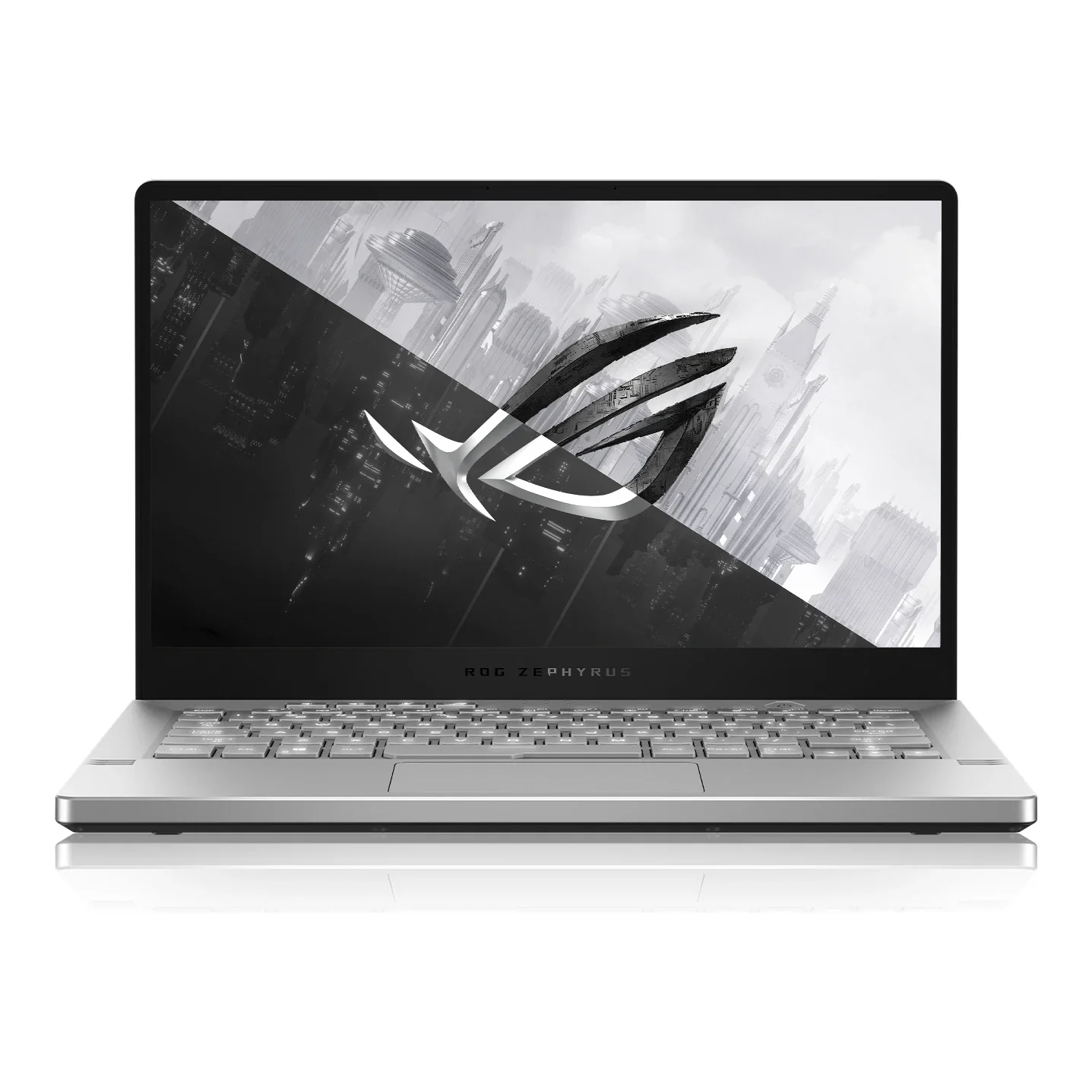
ASUS ROG Zephyrus G14 (GA401, 2020)
Product ID: AKS-20261017-TU6Q
The ASUS ROG Zephyrus G14 (GA401, 2020) is one of 2020's most talked-about gaming laptops, seen as the turning point for AMD's laptop CPU competitiveness. Among the first 14-inch machines with AMD's Ryzen 9 4900HS, it pairs an 8-core/16-thread CPU with an RTX 2060 Max-Q in a roughly 1.6kg, 17.9mm-thick body; The Verge's review said 'AMD has rewritten the rules.' Some models' lids carry the AniMe Matrix LED panel for animations and text. The catch: no webcam. Discontinued; the 2020 model page is hard to find on ROG's site.
Saved temporarily in this device’s browser only. No long-term storage or syncing.
Official list prices
Pending and starting prices do not confirm the price of a specific variant. Check each market’s currency and tax status.
No verified official price available
Product information
- Brand:
- ASUS
- Category:
- Laptop
- Product line:
- ROG Zephyrus
- Release date:
- 2020-03-30
- Product ID:
- AKS-20261017-TU6Q
- Official information:
- View manufacturer page
- Last updated:
- Oct 29, 2026
Specifications
Body and display
- Width
- 324 mm
- Depth
- 222 mm
- Maximum height
- 17.9 mm
- Weight
- 1.6 kg
- Display count
- 1
- Display size
- 14 in
- Display resolution
- 1920 × 1080 (2560 × 1440 WQHD option)
- Display technology
- 14-inch IPS-level anti-glare, 72% NTSC; FHD 60Hz / FHD 120Hz / WQHD 60Hz
- Refresh rate
- 120 Hz
- Touchscreen
- No
Performance and storage
- Operating system
- Windows
- OS version
- Windows 10 Home / Pro (at launch)
- Processor
- AMD Ryzen 7 4800HS / Ryzen 5 4600HS (by model; US top config Ryzen 9 4900HS) Not official manufacturer information
- Graphics
- NVIDIA GeForce RTX 2060 Max-Q (6GB GDDR6)
- Memory
- 16 GB
- Memory type
- DDR4-3200 (8 or 16GB onboard + 1 SO-DIMM, up to 32GB)
- Storage
- 1,024 GB
- Storage type
- PCIe Gen3 x2 NVMe M.2 SSD (512GB / 1TB)
Power and connectivity
- Battery capacity
- 76 Wh
- Camera
- No built-in webcam Not official manufacturer information
Product reviews
Based on 4 reviews
Based on a limited sample of reviews.
Dave2D: ROG Zephyrus G14 (2020) Review — No Webcam in a Zoom Era, Slow Ghosting Screen, Hot Deck
Machine translated · Original language: Chinese (Taiwan) · Source language: Chinese (Taiwan)
Source
Dave2D
Key Takeaways
- Bafflingly omitted a built-in webcam right in 2020 at the height of work-from-home and Zoom conferencing.
- The 120Hz display suffers from horrific 20ms+ response times, creating nauseating ghosting in fast-paced FPS games.
- Silver keycaps with uneven white backlighting completely wash out in daylight, making key labels unreadable.
- Metal keyboard deck shoots past 48°C under gaming load, scorching fingers resting on the WASD area.
✅ Pros
- Groundbreaking AMD Ryzen 4000 CPU efficiency in a 14-inch chassis
- Sleek magnesium styling with creative AniMe Matrix lid LEDs
- Impressive 8+ hour battery endurance for daily productivity
❌ Cons
- Unforgivable omission of a built-in webcam
- Glacial pixel response times with massive ghosting
- White-on-silver backlighting is completely invisible in daylight
- Uncomfortably hot keyboard deck during gaming
📝 Verdict
"Zephyrus G14 broke lightweight gaming ground, but missing webcams and ghosting displays made it deeply flawed."
View original
Dave2D:疫情遠距時代竟然拔除視訊鏡頭,拖影嚴重的慢速螢幕與過熱鍵盤
來源
Dave2D
重點摘要
- 在 2020 年遠距辦公與線上教學爆發的關鍵年份,原廠竟然匪夷所思地完全拔除了內建視訊鏡頭(Webcam)。
- 配備的 120Hz 螢幕像素反應時間高達 20ms 以上,高速射擊遊戲中出現嚴重拖影與動態模糊殘影。
- 鍵盤背光設計存在嚴重缺陷,銀色鍵帽在日間開啟背光時字體完全反白隱形,根本看不清按鍵文字。
- 金屬鍵盤面在高負載遊戲時表面溫度飆破 48°C,手指放置在 WASD 與中央鍵位時灼熱感強烈。
✅ 優點
- AMD Ryzen 4000 處理器在輕薄機身展現強大能效
- 外觀俐落緊湊具備 AniMe Matrix 矩陣燈效創意
- 在電競筆電中具備優秀的日常文書續航
❌ 缺點
- 致命拔除視訊鏡頭無法視訊會議
- 反應遲緩拖影嚴重的 120Hz 螢幕
- 日間反白看不清鍵字的鍵盤背光
- 高負載發燙灼手的金屬鍵盤面
📝 總結評語
「初代 G14 開創了輕薄電競標竿,但缺乏鏡頭、螢幕嚴重大拖影與燙手鍵盤,是顯著的半成品硬傷。」
This AI-generated summary is based on the original source and was not written by its creator. It may contain errors or omissions; please consult the original source.
Dave2D: AMD delivers stronger performance than expected in a compact, cool-running package
Machine translated · Original language: Chinese (Taiwan)
Source
- Video: ASUS Zephyrus G14 Gaming Laptop Review
- Channel: Dave2D | Type: Professional review | Based on: YouTube transcript
Key points
- He scrutinizes it by the strict standard of "buying it with his own money to replace his daily computer"; the Ryzen 4000's 8 cores/16 threads deliver excellent multi-core performance, faster in Premiere than his Razer Blade
- The GPU is a GTX 1660 Ti Max-Q (there's also an RTX 2060 Max-Q version); he had hoped for more, but given the 14-inch chassis, he thinks the smaller size and weight are worth the trade-off
- Thermals are good; Turbo mode fans are loud but acceptable, while the manual full-speed mode is too loud for him to use
- The 120Hz screen has ghosting from slow response times, which he considers the biggest downside; there's no webcam, and none is included in the box
- The 76Wh battery lasts about 8.5 hours; it can charge over USB-C at up to 65W but can't unleash full GPU performance that way; the white version's keyboard backlight isn't bright enough and the keys are hard to read; the speakers are good but not top-tier; ErgoLift blows hot air toward the screen
✅ Pros
- Strong 8-core CPU performance
- Compact and light
- Good thermals
- Long battery life, supports USB-C charging
❌ Cons
- Screen ghosting
- No webcam
- White version's backlight is hard to see
- Hot air blows toward the screen
📝 Verdict
He really likes it; AMD's performance far exceeds expectations and is clearly better than Intel's 9th generation, forcing Intel to bring something good; he plans to try the gray version instead.
View original
Dave2D:AMD 帶來比預期更強的效能,小巧又散熱好
來源
- 影片:ASUS Zephyrus G14 Gaming Laptop Review
- 頻道:Dave2D|類型:專業評測|摘要依據:YouTube 字幕逐字稿
重點摘要
- 他以『用自己的錢買來取代日常電腦』的標準嚴格檢視;Ryzen 4000 八核 16 緒多核效能極佳,Premiere 比他的 Razer Blade 還快
- GPU 為 GTX 1660 Ti Max-Q(另有 RTX 2060 Max-Q 版),他原本希望更強,但考量 14 吋機身大小,認為縮小體積與重量值得這樣的取捨
- 散熱表現好;Turbo 模式風扇大聲但可接受,手動全速模式吵到他不會用
- 120Hz 螢幕有反應時間不足造成的殘影,是他認為最大的缺點;沒有視訊鏡頭,盒裝也沒附
- 76Wh 電池約 8.5 小時續航;可用最高 65W USB-C 充電但無法發揮 GPU 全效能;白色版鍵盤背光不夠亮、按鍵難辨識;喇叭不錯但非頂級;ErgoLift 熱風會吹向螢幕
✅ 優點
- 八核 CPU 效能強
- 小巧輕便
- 散熱良好
- 續航長、支援 USB-C 充電
❌ 缺點
- 螢幕殘影
- 無視訊鏡頭
- 白色版背光不清楚
- 熱風吹向螢幕
📝 總結評語
他非常喜歡這台,AMD 的表現遠超預期,明顯優於 Intel 第九代,逼得 Intel 必須拿出好東西;他打算改試灰色版。
This AI-generated summary is based on the original source and was not written by its creator. It may contain errors or omissions; please consult the original source.
Hardware Canucks: This Ryzen 9 laptop is amazing—gaming performance plus ultrabook battery life
Machine translated · Original language: Chinese (Taiwan)
Source
- Video: This Ryzen 9 Notebook Is AMAZING - Zephyrus G14 Review
- Channel: Hardware Canucks | Type: Professional review | Based on: YouTube transcript
Key points
- The review unit has a Ryzen 9 4900HS (8 cores/16 threads), 16GB DDR4-3200, a 1TB SSD, a 14-inch 1080p 120Hz screen and an RTX 2060 Max-Q, priced under US$1,500 (about US$1,000 to start)
- The performance shocked him: in Blender, Cinebench and even some DaVinci Resolve tests, in Turbo mode it beat his Razer Blade 15 with an RTX 2080 Max-Q
- Battery life in a light Chrome loop test was about 9.5 hours, and he calls it "a gaming laptop with ultrabook-class battery life"
- Front-facing tweeters + bottom woofers make for some of the best laptop speakers he's heard; the 120Hz screen is smooth for gaming, but not bright enough and hard to see outdoors
- At full CPU load it spikes to 96°C, then throttles to hold around 71°C, and surface temperatures in the middle of the keyboard and on the bottom run high; other downsides are no webcam, average backlighting and a less-than-ideal I/O layout (he'd like more USB-A on the sides)
✅ Pros
- 8-core performance beats Intel rivals
- Very long battery life
- Excellent speakers
- Reasonable price
❌ Cons
- No webcam
- Screen not bright enough
- High surface temperatures
- Average I/O layout and backlighting
📝 Verdict
AMD has caught up with Intel's best; if you want a compact gaming laptop, he'd put it at the top of your list.
View original
Hardware Canucks:這台 Ryzen 9 筆電太驚人,電競效能+超輕薄續航
來源
- 影片:This Ryzen 9 Notebook Is AMAZING - Zephyrus G14 Review
- 頻道:Hardware Canucks|類型:專業評測|摘要依據:YouTube 字幕逐字稿
重點摘要
- 評測機配 Ryzen 9 4900HS(8 核 16 緒)、16GB DDR4-3200、1TB SSD、14 吋 1080p 120Hz、RTX 2060 Max-Q,售價不到 1,500 美元(入門約 1,000 美元)
- 效能讓他震驚:Blender、Cinebench 甚至部分 DaVinci Resolve 測試中,Turbo 模式下打敗他搭 RTX 2080 Max-Q 的 Razer Blade 15
- 輕度 Chrome 循環測試續航約 9.5 小時,他稱是『超輕薄筆電等級的電競筆電』
- 前置高音+底部低音單元,是他聽過最好的筆電喇叭之一;120Hz 螢幕打遊戲流暢,但亮度不足、戶外難看清
- CPU 滿載會衝到 96°C 後降頻維持約 71°C,鍵盤中央與底部表面溫度偏高;缺點還有沒有視訊鏡頭、背光一般、I/O 配置不理想(側邊希望有更多 USB-A)
✅ 優點
- 8 核效能打敗 Intel 對手
- 續航極長
- 喇叭出色
- 價格合理
❌ 缺點
- 無視訊鏡頭
- 螢幕亮度不足
- 表面溫度高
- I/O 配置與背光一般
📝 總結評語
AMD 已追上 Intel 最好的產品;若你要小巧的電競筆電,他會把它列入首選考慮。
This AI-generated summary is based on the original source and was not written by its creator. It may contain errors or omissions; please consult the original source.
Jarrod'sTech: 8 cores packed into 14 inches—amazing performance with few downsides
Machine translated · Original language: Chinese (Taiwan)
Source
- Video: ASUS G14 Review - 8 Core 4900HS in 14”?!
- Channel: Jarrod'sTech | Type: Professional review | Based on: YouTube transcript
Key points
- The review unit is a high-end configuration: Ryzen 9 4900HS (8 cores/16 threads, 35W), RTX 2060 Max-Q, 16GB DDR4-3200, 1TB SSD and a 14-inch 1080p 120Hz FreeSync screen
- The all-magnesium-alloy chassis is well built; when you open the lid, the hinge lifts the back of the chassis by 15mm, tilting the keyboard, keeping the bottom speakers off the desk and improving airflow
- The 1080p panel measured 96% sRGB, 339 nits and 910:1 contrast; he thinks 1080p 120Hz is a better fit than 1440p for gaming at 14 inches
- The speakers (two 0.7W tweeters + two 2.5W) are the best laptop speakers he's heard in a long time; the trackpad is one of the most accurate he's used
- The 76Wh battery lasted about 6 hours 10 minutes of YouTube; downsides: no webcam, no Thunderbolt or Ethernet port, only one memory slot, uneven keyboard backlighting and high temperatures under heavy load
✅ Pros
- Strong 8-core CPU performance
- Compact, thin and light
- Excellent speakers
- Excellent screen and trackpad
❌ Cons
- No webcam
- No Thunderbolt/Ethernet
- Only one memory slot
- Uneven backlight, runs hot
📝 Verdict
It delivers amazing performance in a smaller chassis, especially for those who need a powerful CPU, and can go up against bigger, thicker i9 machines; lots of strengths, few weaknesses.
View original
Jarrod'sTech:14 吋塞進 8 核心,效能驚人、缺點不多
來源
- 影片:ASUS G14 Review - 8 Core 4900HS in 14”?!
- 頻道:Jarrod'sTech|類型:專業評測|摘要依據:YouTube 字幕逐字稿
重點摘要
- 評測機為高階配置:Ryzen 9 4900HS(8 核 16 緒、35W)、RTX 2060 Max-Q、16GB DDR4-3200、1TB SSD、14 吋 1080p 120Hz FreeSync 螢幕
- 全鎂合金機身做工佳;開蓋時鉸鏈把機身後端抬高 15mm,讓鍵盤有傾角、底部喇叭不貼桌面、進氣更好
- 1080p 面板實測 96% sRGB、339 nits、對比 910:1,他認為 14 吋打遊戲選 1080p 120Hz 比 1440p 合適
- 喇叭(兩顆 0.7W 高音+兩顆 2.5W)是他很久以來聽過最好的筆電喇叭;觸控板是他用過最準確之一
- 76Wh 電池看 YouTube 約 6 小時 10 分;缺點:沒有視訊鏡頭、沒有 Thunderbolt 與網路孔、只有一條記憶體插槽、鍵盤背光不均、高負載時溫度偏高
✅ 優點
- 8 核 CPU 效能強
- 小巧輕薄
- 喇叭極佳
- 螢幕與觸控板出色
❌ 缺點
- 無視訊鏡頭
- 無 Thunderbolt/網路孔
- 僅單一記憶體插槽
- 背光不均、會發熱
📝 總結評語
在更小的機身中提供驚人效能,特別適合需要強大 CPU 的人,可與更大更厚的 i9 機種抗衡;優點多、缺點少。
This AI-generated summary is based on the original source and was not written by its creator. It may contain errors or omissions; please consult the original source.